Data Analytics Course in Chennai
Hejex Technology Data Analytics Course in Chennai is designed to help you become an industry-ready professional in just 3 to 4 Months. You will gain in-depth knowledge of Advanced Excel, SQL, Python, Numpy, Pandas, Tableau, Power BI, and learn how to apply these skills in Generative-AI Integrated projects, guided by experienced mentors. Our job-oriented curriculum offers 100% placement support, which includes resume building, mock interviews, and personalized career mentorship. This support will help you confidently secure your dream job in Data Analytics.
- Only 5 students per batch — Classroom & Live Online Training
- Learn Advanced Excel, SQL, Power BI, Python, NumPy, Pandas, Tableau
- Build with generative AI tools the way hiring teams now expect
- Placement Support: Mock Interviews, Resume Guidance & Aptitude Preparation
Data Analyst Course in Chennai
- Batch Size
- Maximum 5 Students per Batch
- Generative AI
- AI Tools Used in SQL, Cleaning & Reporting
- Course Duration
- 3 to 4 Months Weekday Batches
- Placement
- 100% Support
- Real-Time Project
- 5+ GenAI Integrated Projects
- Tools Covered
- Advanced Excel, SQL, Power BI, Python
- Training Mode
- Classroom & Live Online
- Language
- English / Tamil
Our Data Analytics Training in Chennai focuses on practical learning, helping you understand how businesses collect, clean, analyze, visualize, and interpret data. You will work with industry-relevant tools and real-world datasets to create dashboards, reports, and analytical solutions that build practical job-ready skills.
Our Students' Data Analytics Success Stories
Explore the career journeys of learners who trained in Data Analytics at Hejex Technology. These student stories highlight practical training, project experience, interview preparation and reported career outcomes, with LinkedIn profiles provided where available for additional professional context.


Breejitha completed Data Analytics training at Hejex Technology and developed practical skills through structured learning, hands-on projects and interview preparation. Her training included working with industry-relevant analytics tools and applying those skills to practical business problems.

Akash completed Data Analytics training at Hejex Technology with practical exposure to analytical tools, project-based learning and interview preparation. The training focused on strengthening technical skills and applying Data Analytics concepts to practical scenarios.

Mohammed Kaif completed Data Analytics training at Hejex Technology and gained practical exposure through project-based learning and career preparation. His training focused on developing analytical skills and applying data-driven methods to practical business scenarios.
Why Learn Data Analytics at Hejex Technology?
Learn Data Analytics Course in Chennai at Hejex Technology through practical, project-based training designed to build real workplace skills. With small batches, experienced trainers, hands-on projects, flexible batch options, and dedicated placement preparation, you get the guidance needed to build confidence and become job-ready.
Small Batches Only
Maximum 5 Students per Batch. Get direct attention, daily doubt-solving, and mentorship
Dedicated Placement Support
Resume preparation, aptitude training, mock interviews, communication practice, LinkedIn guidance and interview assistance.
5+ Live Projects
Work with business datasets and build projects across sales, customer analytics, finance, HR, e-commerce, and business intelligence.
Flexible Batch Options
Weekday, weekend, morning & evening slots. Attend in class or join live online from anywhere. Learn your way.
Course Completion Certificate
Receive a Hejex Technology course completion certificate after completing practical training, assessments, and hands-on Generative AI Integrated projects.
Industry Experienced Trainers
Learn from industry-experienced professionals focusing on real company standards rather than just theory.
Practical Learning
Develop hands-on skills in Advanced Excel, SQL, Python, Power BI, NumPy, Pandas, Seaborn, and Matplotlib.
EMI-Friendly Options
Worried about data analyst course fees in Chennai? Flexible payment plans available. Invest in your career without financial stress enquire for EMI details.
Data Analytics Course Fees in Chennai - Duration and Batch Size
The Data Analytics Course in Chennai at Hejex Technology runs for 240+ hours over approximately 3 to 4 months for weekday batches, with a maximum of 5 students per batch. The course includes 5+ hands-on AI Integrated projects, including practical projects using Generative AI. Fees range from ₹16,999 to ₹35,000 depending on the batch and current offers. Classroom and live online training are available, with placement training included at no extra cost.
| Course name | Data Analytics Course with Generative AI |
|---|---|
| Tools covered | Advanced Excel, SQL, Power BI, Tableau, Python |
| Course duration | 240+ hours of training; approximately 3–4 months for weekday batches |
| Batch size | Maximum 5 students per batch |
| Course fees | ₹16,999 to ₹35,000* |
| Class schedule | Monday to Saturday, 6 days a week. |
| Training mode | Offline Training, Live Online Training |
| Projects | 5+ hands-on projects including Generative AI-based applications |
| Technologies covered | Advanced Excel, SQL, Power BI, DAX, Python, Pandas, NumPy, Matplotlib, Tableau, Data Cleaning, Data Visualization, and Generative AI |
| Who can join | Freshers from any degree, commerce and arts graduates, students, working professionals, and career switchers |
| Prerequisites | No prior coding experience is required. Basic computer knowledge is enough to get started. |
| Placement support | Resume reviews, aptitude practice, GitHub setup, communication sessions, mock interviews and interview scheduling |
| Certification | Hejex Technology course completion certificate |
| Location | Hejex Technology, Chennai, Tamil Nadu. |
| Enquiries | +91 84383 87098 |
Course fees and batch details verified on 11 October 2026. The batch size is capped at 5 students and the course includes 240+ hours of training. Fees may vary depending on the current batch and offers.
Data Analytics Training Options
Our Data Analytics Training in Chennai is designed around live, instructor-led learning with flexible weekday, weekend, and fast-track batch options. Learn through practical sessions, real-world datasets, project work, and continuous trainer guidance.
Live Online Training
Attend live interactive sessions with expert mentors, work on 5+ GenAI Integrated projects, and get complete career support including resume building, mock interviews and placement support.
Classroom Training
Learn directly from industry experts with in-person guidance, Work with real datasets, practice analytics tools and real-time projects experience in a focused classroom environment
Placement Training
Get trained by experienced Trainer with a curriculum designed for job readiness. Includes resume building, mock interviews, and dedicated placement support.
Start Your Journey Towards a Successful IT Career
Learn from experienced trainers, work on real-world projects, build industry-relevant skills, and get dedicated placement support to prepare for your IT career with Hejex Technology.
Upcoming Data Analyst Batches
| Start Date | Class Schedule | Mode of Training | Book Slots |
|---|---|---|---|
| Monday – Saturday | Classroom/Online |
|
|
| Saturday – Sunday | Classroom/Online |
|
|
| Monday – Saturday | Classroom/Online |
|
|
| Saturday – Sunday | Classroom/Online |
|
Overview of Data Analyst Course in Chennai
The Data Analyst Course in Chennai at Hejex Technology is designed to help students and working professionals develop practical data analytics skills and prepare for real-world Data Analyst roles. The training covers the complete data analytics process, from collecting and cleaning raw data to analyzing information, creating visualizations, building dashboards, and communicating meaningful business insights.
As part of the Data Analytics Training in Chennai, learners gain hands-on experience with industry-relevant tools including Microsoft Excel, SQL, Python, Power BI, Tableau, NumPy, Pandas, Matplotlib, and Seaborn. The course focuses on applying these technologies to practical datasets rather than learning concepts only through theory. Students learn how to clean and transform datasets, write SQL queries, perform data analysis using Python, create interactive Power BI dashboards, and present data-driven insights clearly.
The Data Analyst Course also includes 5+ Generative AI Integrated projects designed around common business scenarios such as sales analysis, customer behavior, financial data, HR analytics, and e-commerce data. Working on these projects helps learners understand how a Data Analyst approaches a business problem, identifies relevant data, performs analysis, discovers trends and patterns, and converts the findings into actionable insights.
With structured training, small-batch learning, practical projects, and dedicated placement preparation, the program is suitable for fresh graduates, students, working professionals, IT professionals, and career switchers. Learners can build a practical portfolio while developing the technical and analytical skills required for Data Analyst, Business Analyst, MIS Analyst, Reporting Analyst, and Business Intelligence roles.
Tools Covered in Data Analytics Course
What is Data Analytics?
Data Analytics is the process of collecting, cleaning, analyzing, and interpreting data to identify patterns, answer business questions, and support better decisions.
Data analytics uses tools such as Advanced Excel, SQL, Python, Power BI, and Tableau, along with statistical methods and data visualization techniques, to transform raw data into meaningful business insights.
At Hejex Technology, the Data Analytics course focuses on practical, project-based learning. Students work with data cleaning, SQL analysis, Python-based analytics, business intelligence dashboards, data visualization, and Generative AI-assisted data analysis through real-world projects.
Master Data Analytics Course in Chennai
Excel for Data Analysis
Learn Advanced Excel from fundamentals to advanced analysis, including formulas, PivotTables, data cleaning, lookup functions, charts, and reporting. Build a strong foundation for working with business data.
SQL & Database Analysis
Learn SQL to retrieve, filter, join, and analyze data from databases. Practice advanced queries, subqueries, CTEs, aggregate functions, and window functions used in real-world data analysis. Revise between classes with our MySQL tutorial.
Power BI & Dashboards
Create interactive dashboards and business reports using Power BI. Learn Power Query, data modeling, DAX, KPIs, filters, visualizations, and other techniques for turning data into actionable insights.
Python for Data Analytics
Learn Python fundamentals and apply programming techniques to data analysis. Work with data using Python libraries and develop practical skills for handling and analyzing datasets. Practise the fundamentals with our Python tutorials.
Pandas & NumPy
Use NumPy for numerical data processing and Pandas for data cleaning, transformation, filtering, grouping, merging, and analysis. Work with structured datasets using practical exercises.
Data Visualization
Learn to present data clearly using Matplotlib and Seaborn. Create charts and statistical visualizations that help identify trends, patterns, relationships, and meaningful business insights.
Why Learn Data Analytics at Hejex Technology in Chennai?
- Industry Experienced Data Analytics Trainers: Learn from industry-experienced trainers in Data Analytics and Business Intelligence, using practical datasets and real business scenarios.
- Small 5-Student Batches: Get focused trainer attention, individual guidance, doubt clarification, and support while working on Data Analytics projects.
- Real-World Analytics Projects: Build practical projects covering sales, customer behavior, finance, HR, e-commerce, and Business Intelligence.
- Industry-Relevant Tools: Develop hands-on skills in Advanced Excel, SQL, Python, Power BI, NumPy, Pandas, Matplotlib, and Seaborn.
- Daily Placement Preparation: Prepare for Data Analyst interviews with resume building, aptitude training, mock interviews, communication practice, and career guidance.
- Practical Portfolio Development: Create projects and dashboards that demonstrate your ability to analyze data and communicate meaningful business insights.
- Choose weekday, weekend, or fast-track training based on your schedule and learning requirements.
Who Should Join the Data Analyst Course in Chennai?
The Data Analyst Course at Hejex Technology is suitable for anyone who wants to build practical data analytics skills and develop a career in data-driven roles. The training starts with fundamentals and gradually progresses to real-world data analysis, visualization, dashboards, and projects.
- Beginners with no prior analytics experience: Start with the fundamentals of data analytics and gradually learn Advanced Excel, SQL, Python, Power BI, and data visualization.
- College students and fresh graduates: Build practical data analysis skills, work on real-world projects, and develop a portfolio to prepare for entry-level Data Analyst opportunities.
- Working professionals: Upgrade your skills in Advanced Excel, SQL, Python, Power BI, and business intelligence to improve your analytical capabilities or explore new career opportunities.
- Career switchers: If you are planning to move into Data Analytics from another field, learn the essential tools and techniques through structured training and hands-on projects.
- IT and software professionals: Expand your technical skill set with data analysis, SQL, Python, Power BI, dashboards, and business reporting.
- Commerce, finance, and business graduates: Learn how to use data to analyze business performance, identify trends, create reports, and support data-driven decision-making.
You do not need advanced programming knowledge to get started. The Data Analytics training is structured to help learners progress from the fundamentals to practical data analysis through guided learning, real-world datasets, and hands-on projects.
What You'll Learn in the Data Analyst Course in Chennai?
- Data Analytics Fundamentals: Learn the complete data analytics process, from collecting and cleaning data to analyzing, visualizing, and interpreting information for business decisions.
- Excel for Data Analysis: Develop practical Advanced Excel skills using formulas, functions, PivotTables, lookup operations, charts, data cleaning, and reporting techniques.
- SQL & Database Analysis: Learn to retrieve, filter, join, and analyze database information using SQL queries, aggregate functions, subqueries, CTEs, and other essential techniques.
- Python, Pandas & NumPy: Use Python and its data analytics libraries to clean, transform, manipulate, and analyze datasets while identifying useful patterns and insights.
- Power BI & Data Visualization: Build interactive dashboards and reports using Power BI, Power Query, DAX, charts, KPIs, and other visualization techniques to communicate data-driven insights.
- Practical Data Analytics Projects: Apply your knowledge to real-world datasets and business scenarios such as sales, customer, finance, HR, and e-commerce analytics to build practical experience.
Data Analytics Course Syllabus in Chennai
Module 1: Introduction to Data Analytics
- Data Analytics Overview
- Importance of Data Analytics
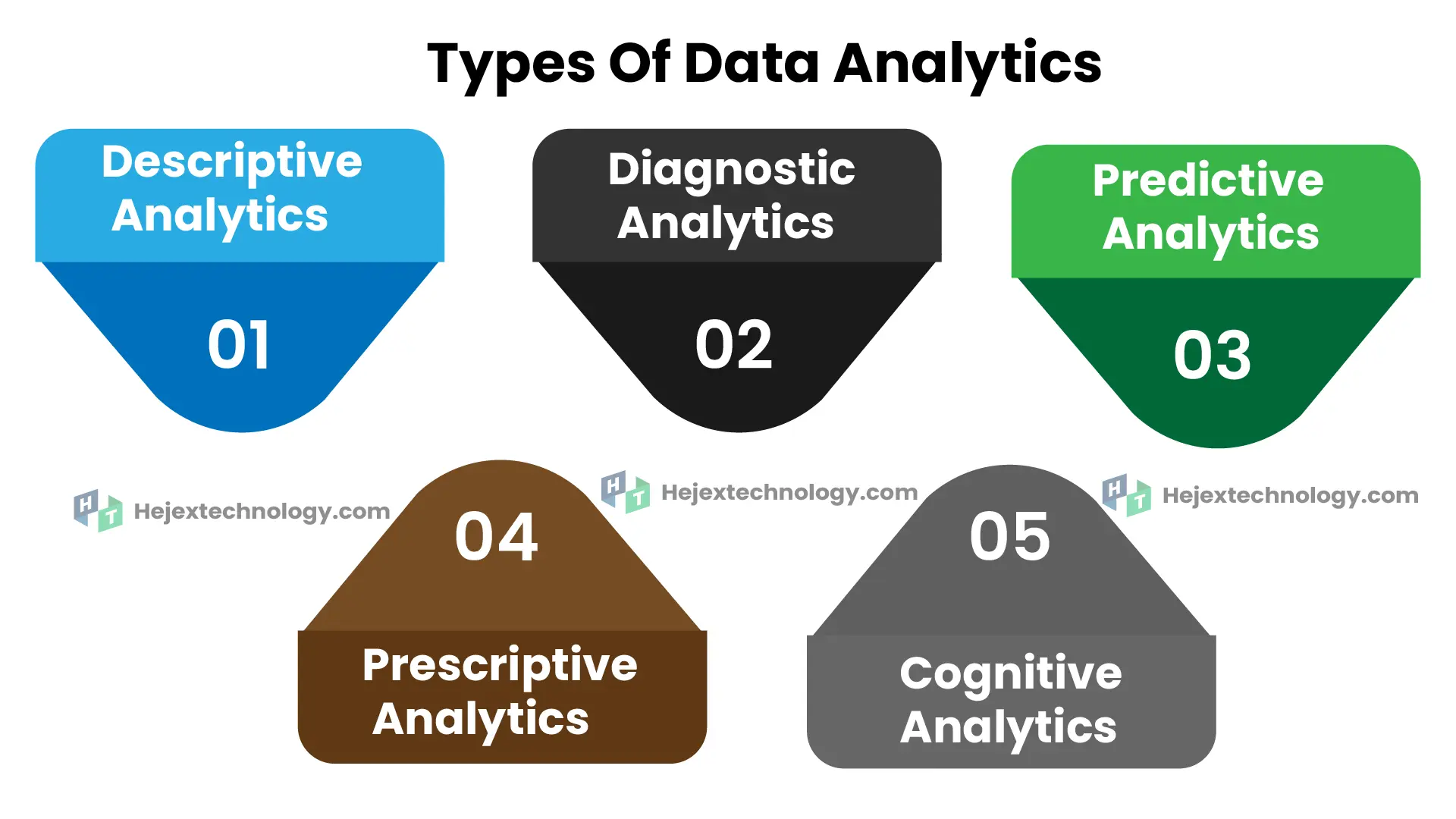
- Types of Data Analytics
- Descriptive Analytics
- Diagnostic Analytics
- Predictive Analytics
- Prescriptive Analytics
- Benefits of Data Analytics
- Data Visualization for Decision Making
- Data Types
- Measure Of central tendency
- Measures of Dispersion
Module 2: Excel Basic to Advanced
- Excel tutorial
- Text to Columns
- Concatenate
- The Concatenate Function
- The Right Function with Concatenation
- Absolute Cell References
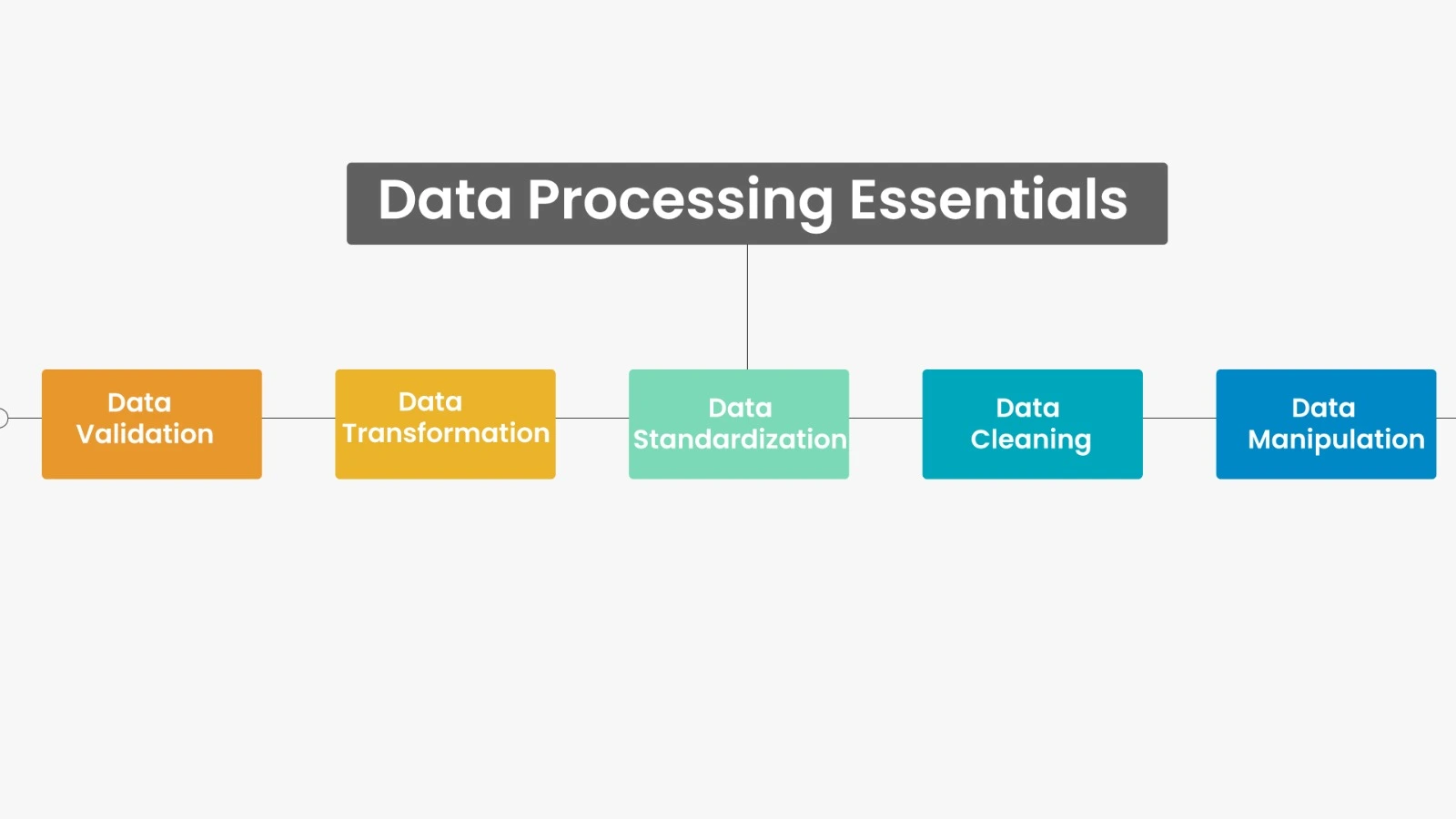
- Data Validation
- Time and Date Calculations
- Conditional Formatting
- Exploring Styles and Clearing Formatting
- Using Conditional Formatting to Hide Cells
- Using the IF Function
- Changing the “Value if false” Condition to Text
- Pivot Tables
- Creating a Pivot Table
- Specifying PivotTable Data
- Changing a PivotTables Calculation
- Filtering and Sorting a PivotTable
- Creating a PivotChart
- Grouping Items
- Updating a PivotTable
- Formatting a PivotTable
- Using Slicers
- Charts
- Creating a Simple Chart
- Charting Non-Adjacent Cells
- Creating a Chart Using the Chart Wizard
- Modifying Charts
- Moving an Embedded Chart
- Sizing an Embedded Chart
- Changing the Chart Type
- Chart Types
- Changing the Way Data is Displayed
- Moving the Legend
- Formatting Charts
- Adding Chart Items
- Formatting All Text
- Formatting and Aligning Numbers
- Formatting the Plot Area
- Formatting Data Markers
- Pie Charts
- Creating a Pie Chart
- Moving the Pie Chart to its Own Sheet
- Adding Data Labels
- Exploding a Slice of a Pie Chart
- Data Analysis − Overview
- Types of Data Analysis
- Data Analysis Process
- Working with Range Names
- Copying Name using Formula Autocomplete
- Range Name Syntax Rules
- Creating Range Names
- Creating Names for Constants
- Managing Names
- Scope of a Name
- Editing Names
- Applying Names
- Using Names in a Formula
- Viewing Names in a Workbook
- Copying Formulas with Names
- Difference between Tables and Ranges
- Create Table
- Table Name
- Managing Names in a Table
- Table Headers replacing Column Letters
- Propagation of a Formula in a Table
- Resize Table
- Remove Duplicates
- Convert to Range
- Table Style Options
- Table Styles
- Cleaning Data with Text Functions
- Removing Unwanted Characters from Text
- Extracting Data Values from Text
- Formatting Data with Text Functions
- Date Formats
- Conditional Formatting
- Sorting
- Filtering
- Lookup Functions
- Pivoting
Module 3: Structured Query Language
- Introduction to SQL
- Installation and Configuration of SQL
- Understanding Databases and Tables
- SQL Workbench Overview
- SQL Syntax and Data Types
- Creating and Managing Databases
- Creating Tables and Defining Columns
- Primary Key, Foreign Key, and Constraints
- Inserting, Updating, and Deleting Records
- Selecting Data using SELECT Statements
- Filtering Records using WHERE Clause
- Sorting Results using ORDER BY
- Limiting Results using LIMIT
- Using DISTINCT and Aliases
- Aggregate Functions (COUNT, SUM, AVG, MIN, MAX)
- GROUP BY and HAVING Clauses
- Basic String and Numeric Functions
- Working with Date and Time Functions
- Using LIKE and Wildcards for Pattern Matching
- NULL Handling in SQL
- Understanding Operators (AND, OR, NOT, BETWEEN, IN)
- Backup and Restore Databases
- Exporting and Importing Data in SQL
Module 4: Advanced SQL Concepts
- Advanced Filtering and Complex WHERE Clauses
- Joins in SQL (INNER, LEFT, RIGHT, FULL, CROSS)
- Self Joins and Multi-table Joins
- Subqueries and Nested Queries
- Common Table Expressions (CTE)
- UNION and UNION ALL Operations
- Working with Views (Create, Update, Drop)
- Indexes and Performance Optimization
- Stored Procedures and Functions
- Triggers and Events in SQL
- Transactions and ACID Properties
- Understanding Relationships and Referential Integrity
- CASE Statements and Conditional Logic
- Window Functions (RANK, DENSE_RANK, ROW_NUMBER)
- Dynamic Queries and Prepared Statements
- SQL Intermediate Project
Module 5: Introduction to Power BI
- Introduction to Power BI
- Understanding Business Intelligence Concepts
- Installing and Setting up Power BI Desktop
- Overview of Power BI Interface
- Connecting Power BI with Excel and CSV Files
- Connecting to Databases (SQL, MySQL, etc.)
- Understanding Data Sources and Data Loading
- Data Transformation using Power Query Editor
- Applying Basic Transformations (Rename, Replace, Split, Merge)
- Handling Missing Values and Duplicates
- Understanding Data Types and Formatting
- Introduction to Data Modeling
- Creating Relationships between Tables
- Introduction to DAX (Data Analysis Expressions)
- Creating Basic Measures and Calculated Columns
- Working with Filters, Slicers, and Sort Options
- Introduction to Visualizations
- Creating Basic Charts (Bar, Column, Line, Pie)
- Formatting and Customizing Visuals
- Introduction to Power BI Service (Cloud)
- Power BI Beginner Mini Project
Module 6: Power BI DAX
- Advanced Data Transformation in Power Query
- Merging and Appending Queries
- Creating Hierarchies and Groups
- Understanding and Building Complex Relationships
- Advanced DAX Functions (CALCULATE, FILTER, RELATED, SWITCH)
- Using Time Intelligence Functions
- Creating Dynamic Measures and KPIs
- Working with Cards, Tables, and Matrix Visuals
- Using Advanced Filters and Drill-through Features
- Creating Interactive Dashboards
- Using Bookmarks and Buttons for Navigation
- Creating and Customizing Charts (Funnel, Gauge, Tree Map)
- Waterfall and Combo Charts
- Map Visualizations (Filled Map, ArcGIS, and Shape Maps)
- Conditional Formatting and Visual Interactions
- Using Tooltips and Report Page Tooltips
- Implementing Row-Level Security (RLS)
- Publishing Reports to Power BI Service
- Sharing and Collaborating in Power BI
- Power BI Project
Module 7: Tableau
- Introduction to Tableau and Tableau Desktop
- Installing Tableau and Exploring the Interface
- Connecting to Excel, CSV and SQL Data Sources
- Data Types, Dimensions and Measures
- Data Joins, Relationships and Blending
- Data Interpreter and Basic Data Preparation
- Filters, Sorting and Grouping
- Sets, Hierarchies and Parameters
- Calculated Fields and Table Calculations
- Level of Detail (LOD) Expressions
- Bar, Line, Pie and Scatter Charts
- Maps and Geographic Visualizations
- Dual-Axis and Combined Charts
- Reference Lines, Trend Lines and Forecasting
- Building Interactive Dashboards
- Dashboard Actions and Tooltips
- Storytelling with Tableau Stories
- Publishing to Tableau Public
- Tableau Dashboard Project
Module 8: Python for Data Analytics
- Introduction to Python
- Fundamentals of Python
- Installation of Python
- Variables
- Datatypes
- Output & Input
- Conditional Statements
- Looping Structure
- Functions
- Introduction to Data Structure
- List
- Tuple
- Dictionary
- Sets
- Strings
Module 9: NumPy
- Introduction to NumPy
- Installing and Importing NumPy
- Understanding ndarrays
- Creating NumPy Arrays
- Array Indexing and Slicing
- Array Data Types and Attributes
- Array Operations (Arithmetic, Comparison, Logical)
- Broadcasting in NumPy
- Array Reshaping and Flattening
- Stacking and Splitting Arrays
- Copy vs View in NumPy
- Iterating Over Arrays
- Mathematical and Statistical Functions
- Universal Functions (ufuncs)
- Random Module in NumPy
- Generating Random Numbers
- Sorting, Searching, and Counting in Arrays
- Handling Missing Values (NaN)
- NumPy String Operations
- Working with Dates and Time in NumPy
Module 10: Pandas
- Introduction to Pandas
- Installing and Importing Pandas
- Understanding Series and DataFrames
- Creating Series and DataFrames
- Reading and Writing Data (CSV, Excel, JSON, SQL)
- Inspecting and Exploring Data
- Selecting Rows and Columns
- Indexing, Slicing, and Subsetting Data
- DataFrame Attributes and Methods
- Adding, Modifying, and Deleting Columns
- Handling Missing Data (NaN)
- Filtering Data with Conditions
- Sorting Data (sort_values and sort_index)
- Renaming Columns and Indexes
- Working with Duplicates
- Data Cleaning and Transformation
- String Operations in Pandas
- Applying Functions (apply, map, applymap)
- Aggregation and GroupBy Operations
- Merging, Joining, and Concatenating DataFrames
- Real-Time Data Analysis Project using Pandas
Module 11: Python Visualization Libraries
- Introduction to Data Visualization
- Introduction to Matplotlib
- Installing and Importing Matplotlib
- Understanding Figure, Axes, and Subplots
- Creating Basic Plots (Line, Scatter, Bar)
- Customizing Plots (Titles, Labels, Legends)
- Adding Gridlines, Ticks, and Text Annotations
- Working with Multiple Plots and Subplots
- Customizing Colors, Markers, and Line Styles
- Bar Charts and Horizontal Bar Charts
- Pie Charts and Donut Charts
- Histograms and Density Plots
- Box Plots and Violin Plots
- Scatter Plots with Multiple Variables
- Saving and Exporting Charts
- 3D Plotting with Matplotlib
- Styling and Themes in Matplotlib
- Integrating Matplotlib with Pandas
- Plotting Real-Time Data
Module 12: Generative AI Integration
- Introduction to Generative AI for Data Analytics
- AI Tools for Data Analysts
- Prompt Engineering Fundamentals
- Prompting for Data Cleaning, Analysis & Insights
- Introduction to NLP for Data Analytics
- Natural Language to SQL
- Natural Language Business Queries
Data Analytics Course Trainers at Hejex Technology
The Data Analytics training at Hejex Technology is delivered by trainers covering Data Analytics, Data Visualization, SQL, Python, Business Intelligence, and related analytics technologies. The training combines concept-based instruction with guided exercises, datasets, and practical analytics projects.
- Learn from trainers covering Data Analytics and Business Intelligence, with training focused on applying analytical concepts to practical data scenarios.
- Work with Advanced Excel, SQL, Python, Pandas, NumPy, Power BI, Matplotlib, and Seaborn through guided exercises and analytics projects.
- Practice the key stages of an analytics workflow, including data collection, cleaning, analysis, visualization, pattern identification, and communicating findings.
Lakshmanan – Data Visualization Specialist
| Attribute | Details |
|---|---|
| Trainer Name | Lakshmanan |
| Professional Focus | Data Visualization |
| Technologies | Tableau, Python, Pandas, Matplotlib, Bigdata |
| Current Role | Senior Data Analyst Trainer |
| Companies Worked | Capgemini, TCS, Mindtree |
| Training Mode | Online & Classroom |
| Specialization | Data Analytics, Business Intelligence & Data Visualization |
Lakshmanan focuses on Data Visualization and analytics technologies including Tableau, Python, Pandas, Matplotlib, and Big Data.
Elambharathi – Senior Data Analyst Trainer
| Attribute | Details |
|---|---|
| Trainer Name | Elambharathi |
| Professional Focus | Data Analytics and Business Intelligence |
| Technologies | MySQL, Power BI, Python, Bigdata |
| Current Role | Senior Data Analyst Trainer |
| Companies Worked | Cognizant, Wipro, HCL |
| Training Mode | Online & Classroom |
| Specialization | Data Analytics, SQL & Business Intelligence |
Elambharathi focuses on Data Analytics, SQL, and Business Intelligence, covering MySQL, Power BI, Python, and Big Data.
Ready to Build Your Career in Data Analytics?
Join Hejex Technology for practical Data Analytics Training in Chennai with Advanced Excel, SQL, Python, Power BI, Generative AI, and real-world projects. Learn in small batches with hands-on guidance and dedicated placement support.
Small Batches • Real-World Projects • 100% Placement Support
Watch What Our Students Say
Hear directly from students who experienced our Data Analytics training, practical projects, trainer guidance, and placement preparation. Their videos share their experiences, challenges, learning journey, and career progress.

Breejitha
Data Analyst · 4.10 LPA
"I completed a Data Analytics course at Hejex Technology. The course was easy to understand and helped me learn the basics clearly. The sessions were well structured, and the guidance was helpful for beginners. Overall, it was a good learning experience that improved my confidence in Data Analytics, I successfully got placed with a CTC of 4.1 LPA."
Placed as Data Analyst — 4.1 LPA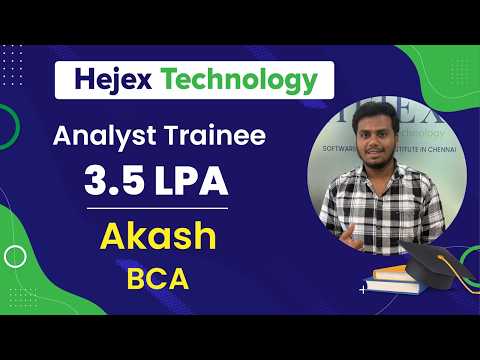
Akash
Analyst 3.5 LPA
"I pursued a Data Analytics course at Hejex Technology, and I successfully got placed as a Data Analyst with a package of 3.5 LPA. The staff members are extremely knowledgeable and down to earth. Every session was well-structured, engaging, and all doubts were cleared on the spot."
Placed as Analyst — 3.5 LPAFrom B.Com Graduate to FP&A Analyst — Aishwarya's Story
Real transformation through dedication, practical training, and placement support.
“Success begins with the willingness to learn, adapt, and believe in your potential. Aishwarya, a determined aspiring Data Analyst, embraced every challenge and transformed her passion for data into a promising career.”
Student Journey
Aishwarya completed a B.Com degree with no background in programming or statistics. After the Data Analytics course at Hejex Technology Chennai, she was placed at NTT Data as a FP&A Analyst on a package of ₹3.5 LPA. She learned Advanced Excel, SQL, Python and Power BI over 3 months, starting from pivot tables and finishing with a working business dashboard.
The course starts with Excel pivot tables, lookups, Macros before SQL, and SQL before Power BI with GEN AI. That order matters for someone from a non-technical background by the time Aishwarya wrote her first SELECT statement she already understood how the data was structured, because she had spent weeks reshaping it by hand in Excel. With 5 students in the batch, her trainer Mr. Elambharathi reviewed her queries in each session rather than at the end of a module.
During the course Aishwarya built a financial performance dashboard using SQL and Power BI enhanced with GEN AI the project she was asked about in every interview she attended. It arrived in the state most business data actually arrives in transactions in one table, cost centres in another, dates recorded inconsistently, and a number of entries with missing or duplicated values. She joined the transaction data against a calendar table so that monthly and quarterly comparisons would hold, aggregated spend by cost centre and category, and made decisions about what to do with the incomplete rows excluding some, flagging others rather than silently dropping them.
Aishwarya's first interview was with NielsenIQ, and she wasn't selected. She went back to her project afterwards and worked on the part she hadn't been able to explain well not what the dashboard showed, but why she had built it that way.
At NTT Data, that was exactly what they asked. They wanted to know how she had sourced and finalised the data, what she had done with the incomplete rows, and how she knew the output could be trusted. She could answer, because she had already been through those questions once and come up short.
“Every career journey begins with a step; learning the right skills is what turns that step into success.”
Data Analytics Projects & Practical Learning
The Data Analytics course includes practical projects covering data preparation, SQL analysis, Python-based analytics, data visualization, business intelligence, NLP, and Generative AI. Each project focuses on applying specific analytics concepts to structured datasets and presenting the resulting findings.
Sales Analytics & AI Insights
Analyze sales data to identify revenue patterns, product performance, regional trends, and key business metrics.
Data: Sales transactions, products, regions, revenue and customer data
Tools: Excel, SQL, Python, Pandas, Power BI
Output: Interactive analysis and dashboard with KPIs and visual insights
AI Usage: Generative AI for insight exploration, summarization and analytical assistance
Skills: Data cleaning, aggregation, SQL analysis, KPI analysis, visualization and business insight generation
Customer Analytics & Segmentation
Analyze customer behavior and purchasing patterns to identify meaningful customer segments.
Data: Customer profiles, transactions, purchase history and behavioral data
Tools: Python, Pandas, NumPy, SQL and visualization tools
Output: Customer analysis and segment-level insights
AI Usage: AI-assisted exploration and interpretation of analytical findings
Skills: Data preparation, segmentation, pattern identification, visualization and interpretation
Power BI Business Intelligence Dashboard
Build an interactive dashboard to monitor business performance and present key metrics in a visual format.
Data: Business performance and operational datasets
Tools: Power BI, SQL and Excel
Output: Interactive dashboard with KPIs, charts, filters and reports
Skills: Data modeling, dashboard development, KPI design, visualization and reporting
NLP & Text Analytics
Analyze text-based data such as customer feedback or reviews to identify sentiment, themes, keywords and patterns.
Data: Customer feedback, reviews or other text datasets
Tools: Python, NLP libraries and visualization tools
Output: Text analysis results showing sentiment, themes and frequently occurring patterns
Skills: Text preprocessing, NLP, sentiment analysis, keyword analysis and visualization
Generative AI & Prompt Engineering
Explore how Generative AI can support common data analytics tasks such as interpreting information, summarizing findings and generating analytical ideas.
Tools: Generative AI and Prompt Engineering
Output: Structured prompts and AI-assisted analytical outputs
Skills: Prompt design, output evaluation, analytical reasoning and responsible AI usage
AI-Powered Data Analytics
Complete an end-to-end analytics project that combines conventional data analysis with Generative AI-assisted workflows.
Data Preparation: Clean and prepare datasets using Excel, SQL and Python
Analysis: Perform exploratory analysis, identify patterns and calculate relevant KPIs
Visualization: Create charts and an interactive Power BI dashboard
AI Component: Use Prompt Engineering and Generative AI for selected analytical tasks
Final Output: Completed analytics project containing cleaned data, analysis, visualizations, dashboards and documented findings
Skills: Advanced Excel, SQL, Python, Pandas, Power BI, Tableau Data Visualization, NLP, Generative AI
Where Our Data Analytics Alumni Work
Our Data Analytics training in Chennai is designed to help learners develop job-ready skills for modern data-driven roles. Our training covers Advanced Excel, SQL, Python, Power BI, data visualization, and Generative AI concepts through practical learning and real-world projects.
Our learners develop skills relevant to roles such as Data Analyst, Business Analyst, Reporting Analyst, BI Analyst, and Junior Data Analyst. The training also includes practical exposure to Prompt Engineering, NLP, and Generative AI applications in modern analytics workflows.
Alumni outcomes may vary based on individual skills, experience, interview performance, and hiring requirements. Explore our student success stories and professional profiles to learn more about their career journeys.
Data Analytics Certification Course in Chennai
Complete the Data Analytics Course in Chennai at Hejex Technology and receive a course completion certificate after successfully completing the required training and practical projects. The certificate reflects your participation in structured Data Analytics training covering data analysis, visualization, reporting, and practical project work.
Throughout the training, you will work with industry-relevant tools and technologies including Advanced Excel, SQL, Python, Pandas, NumPy, Power BI, Matplotlib, and Seaborn. The curriculum also introduces Generative AI, Prompt Engineering, and Natural Language Processing (NLP) to help learners understand how AI is becoming part of modern data analytics workflows.
The certification is supported by practical learning rather than theory alone. By completing hands-on exercises and real-world analytics projects, you can build a portfolio that demonstrates your ability to clean data, perform analysis, create visualizations, develop dashboards, and communicate meaningful business insights.
What Your Data Analytics Certification Represents
Certification and Practical Learning
A certificate is more valuable when it is supported by demonstrable skills. At Hejex Technology, the Data Analytics training combines structured learning with hands-on exercises and projects so that learners can apply what they study. You can use your completed projects, dashboards, and analytical work as part of your professional portfolio.
Practical Data Analytics Skills
Demonstrate hands-on learning across data analysis, data cleaning, visualization, reporting, and business insights.
Industry-Relevant Tools
Gain practical exposure to Advanced Excel, SQL, Python, Power BI, Pandas, NumPy, Matplotlib, and Seaborn.
Real-World Project Experience
Complete practical analytics projects using business-oriented datasets and scenarios.
Data Visualization & Dashboard Skills
Build reports and interactive dashboards to present analytical findings clearly.
Generative AI & NLP Exposure
Understand how Generative AI, Prompt Engineering, and NLP can support modern analytics workflows.
Portfolio Development
Use your completed projects to demonstrate practical Data Analytics skills when applying for relevant roles.
Placement Guidance & Career Support

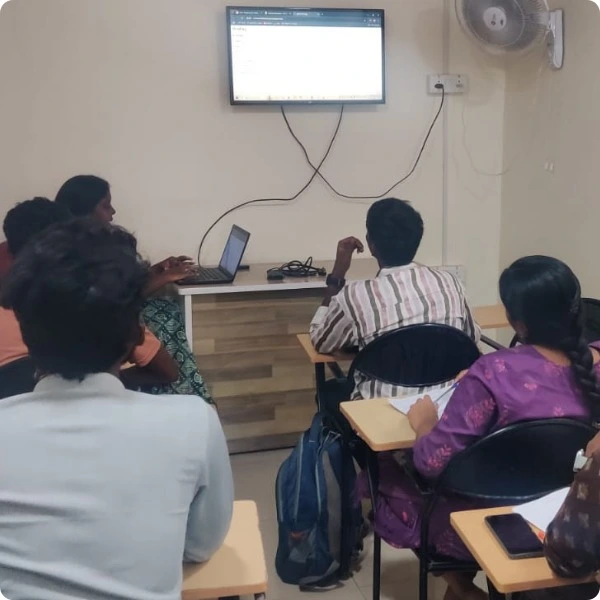


Career Opportunities After Data Analytics Training
After completing our Data Analytics Course in Chennai, you can explore different career opportunities in data analysis, business intelligence, reporting, and data-driven decision-making across startups, growing companies, and MNCs.
Data Analyst
Data Analysts collect, clean, analyze, and interpret data to identify trends, patterns, and useful business insights. They help organizations understand their performance and make informed decisions using data from different business functions.
A Data Analyst commonly works with Advanced Excel, SQL, Python, Power BI, and data visualization tools. The Hejex Technology Data Analytics Course in Chennai provides practical training in these areas through hands-on exercises, real-world datasets, dashboards, and analytics projects.
Junior Data Analyst
Junior Data Analysts support data collection, data cleaning, reporting, visualization, and basic analysis under the guidance of experienced analytics professionals. This role can be a suitable starting point for graduates and beginners looking to build a career in the Data Analytics field.
The training at Hejex Technology helps learners develop foundational skills in Advanced Excel, SQL, Python, Power BI, and data visualization. Practical projects allow learners to apply these skills to datasets and build experience with common Data Analyst workflows.
Business Analyst
Business Analysts use data and business requirements to understand problems, evaluate processes, and support better business decisions. They work with stakeholders and teams to identify requirements, analyze information, and communicate findings clearly.
Data Analytics skills can support a Business Analyst career by developing capabilities in data interpretation, reporting, visualization, and analytical problem-solving. Learners at Hejex Technology gain practical exposure to Advanced Excel, SQL, Power BI, and business-oriented analytics projects.
Business Intelligence Analyst
Business Intelligence Analysts transform business data into reports, dashboards, KPIs, and actionable insights. They help organizations monitor performance, identify trends, and understand important business metrics through structured data analysis and visualization.
BI-related work commonly involves SQL, Advanced Excel, Power BI, data visualization, and dashboard development. Our Data Analytics training provides practical experience with these tools and helps learners understand how raw business data can be transformed into meaningful reports and interactive dashboards.
Reporting Analyst
Reporting Analysts collect, organize, analyze, and present business information through reports and dashboards. Their work helps teams monitor key performance indicators, track business trends, and understand changes in important operational metrics.
Skills in Advanced Excel, SQL, Power BI, data visualization, and data preparation are useful for reporting roles. Through practical Data Analytics training in Chennai, learners work with datasets, create reports and dashboards, and learn how to communicate analytical findings clearly.
Data & AI Analyst
Data & AI Analysts combine traditional data analytics with emerging Artificial Intelligence technologies to support data-driven workflows. They may use analytical methods, AI-assisted tools, and text-based analysis to generate insights, summarize information, and improve selected analytics tasks.
Hejex Technology integrates Generative AI, Prompt Engineering, and Natural Language Processing (NLP) into its Data Analytics training alongside Advanced Excel, SQL, Python, Power BI, and data visualization. This gives learners practical exposure to both core Data Analytics skills and modern AI-assisted analytics workflows.

Frequently Asked Questions About Data Analytics Course in Chennai
The Data Analytics Course fee at Hejex Technology ranges from ₹16,999 to ₹35,000, depending on the selected training option, course structure, and batch. For the latest fee details, available batches, and payment options, learners can contact Hejex Technology directly.
The Data Analytics Course in Chennai includes 240+ hours of structured training covering technical concepts, practical exercises, projects, and placement preparation. The actual class schedule can vary depending on the selected batch and training mode.
No. You do not need any prior coding knowledge to join the Data Analytics course at Hejex Technology. Training starts with Excel, moves to SQL, and introduces Python only after you understand how data is structured. Most of our data analytics students come from commerce, arts and non-IT backgrounds with no programming experience.
The Data Analytics Course covers Advanced Excel, SQL, Python, Pandas, NumPy, Power BI, Tableau, Matplotlib, and Seaborn for data analysis, data cleaning, visualization, reporting, and dashboard development.
The curriculum also includes Generative AI, Prompt Engineering, and Natural Language Processing (NLP) to give learners exposure to modern AI-assisted data analytics workflows.
Hejex Technology conducts the Data Analytics training in small batches of 5 students. The smaller batch size allows trainers to provide more focused attention, clarify individual doubts, and provide practical guidance during exercises and projects.
Yes. Hejex Technology provides dedicated placement support after Data Analytics training. The support includes resume preparation, mock interviews, technical interview preparation, aptitude and communication preparation, career guidance, and support with relevant job opportunities.
Placement support is intended to help learners prepare for the recruitment process; actual job selection depends on the learner's skills, performance, experience, and the employer's requirements.
Salary for a fresher after Data Analytics training can vary based on skills, interview performance, job role, company, and location. Hejex Data Analytics learners featured on this page, with LinkedIn profiles, reported packages between ₹3.5 LPA and ₹4.5 LPA. These are individual outcomes, not a guaranteed salary.
For many beginners, Data Analytics can be a more approachable starting point because it focuses on practical skills such as Excel, SQL, data cleaning, visualization, reporting, dashboards, and business insights.
Data Science generally involves a broader and deeper focus on statistics, machine learning, programming, and predictive modeling. The better choice depends on your career goal, existing skills, and interest in the type of work you want to pursue.
Yes. Working professionals can attend the Data Analytics Course at Hejex Technology. The training is available through classroom and live online options, allowing learners to choose a format based on their schedule and learning preferences.
If you miss a Data Analytics class, you can contact the Hejex Technology training team to discuss the available options for catching up on the missed topic. It is recommended to inform the training team as early as possible so you can stay aligned with the batch.
Yes. Hejex Technology provides a free demo class for learners who want to understand the Data Analytics training approach before enrolling. The demo can help you understand the course structure, teaching methodology, and practical learning approach.
Hejex Technology is located in Pallavaram, Chennai. The institute provides software training programs including Data Analytics and other IT-focused courses through practical and structured training.
General Questions About Data Analytics
Starting a career in data analytics begins with understanding the right skills, tools, and learning approach. At Hejex Technology, we have answered some of the most frequently asked questions about our Data Analyst Course in Chennai, including the curriculum, tools covered, eligibility, practical projects, certification, placement preparation, and career opportunities. Whether you are a beginner, college student, fresher, working professional, or planning a career change, these answers can help you understand what to expect from the Data Analytics training and make a more informed decision about your learning journey.
What does a Data Analyst actually do all day?
A Data Analyst typically works with data to answer business questions. Their day may involve collecting data, cleaning datasets, writing SQL queries, analyzing information, identifying trends, creating reports or Power BI dashboards, and communicating findings to teams.
The exact responsibilities vary by company and industry, but the common goal is to turn raw data into useful information that supports business decisions.
What's the difference between a Data Analyst and a Data Scientist?
A Data Analyst primarily focuses on analyzing existing data, identifying trends, creating reports and dashboards, and communicating business insights. Common tools include Excel, SQL, Python, and Power BI.
A Data Scientist generally works on more advanced statistical analysis, machine learning, predictive modeling, and experimentation. There can be overlap between the two roles, but the depth and type of analysis are often different.
Is Excel still worth learning, or should you go straight to Python?
Excel is still valuable for Data Analytics, particularly for data preparation, formulas, pivot tables, reporting, and quick analysis. Python becomes increasingly useful when working with larger datasets, automation, statistical analysis, and advanced analytics.
For a beginner, learning Excel → SQL → Python can provide a practical progression, although the ideal order depends on your background and career goals.
Do you need a mathematics or statistics degree?
No. You do not need a mathematics or statistics degree to start learning Data Analytics. However, understanding basic concepts such as averages, percentages, distributions, probability, correlation, and descriptive statistics can help you interpret data correctly.
As you progress, you can learn the specific statistical concepts required for the type of analytics work you want to perform.
Power BI or Tableau — which should you learn?
Both Power BI and Tableau are widely used data visualization and business intelligence tools. The better choice depends on the companies, roles, and technology environments you want to work with.
For beginners, it is generally more useful to become confident with one visualization platform first and then learn the fundamentals of other BI tools when required.
How long does it realistically take to become job-ready in Data Analytics?
There is no single timeframe that applies to everyone. It depends on your starting knowledge, learning consistency, practice time, and ability to apply concepts independently.
Becoming job-ready usually requires more than completing lessons. You should be comfortable with Excel, SQL, data cleaning, visualization, basic Python, dashboard development, practical projects, and explaining your analytical findings.
Is Data Analytics still worth learning now that AI can analyse data?
Yes. AI is changing how analysts work, but understanding data, business context, data quality, analytical reasoning, and interpretation remains important. AI tools can assist with tasks, but analysts still need to validate results and understand whether insights make business sense.
Learning Data Analytics alongside Generative AI, Prompt Engineering, and AI-assisted workflows can help learners understand how traditional analytics and emerging AI technologies can work together.
What projects should you build to get hired?
Good Data Analytics projects should demonstrate more than simply creating a chart. A project can include data cleaning, SQL analysis, exploratory analysis, visualization, dashboard development, and business recommendations.
Projects based on realistic business scenarios—such as sales analysis, customer analysis, marketing performance, financial reporting, or operations—can help demonstrate how you apply analytics to solve practical problems.
Does domain knowledge matter more than tools?
Both are valuable, but tools alone do not make someone a strong Data Analyst. Understanding the business problem, data quality, relevant metrics, and meaning behind the results is essential.
For example, knowing Power BI is useful, but understanding which KPIs a sales team needs and why those metrics matter can make your analysis much more valuable.
Can you learn Data Analytics online, or is classroom better?
Both classroom and online learning can work effectively. Classroom training can provide direct interaction with trainers and other learners, while live online training can offer flexibility for learners who cannot attend in person.
The quality of the training, practical exercises, trainer guidance, consistency, and project work generally matter more than the delivery format alone.
What job titles should you apply for after learning Data Analytics?
Depending on your skills and experience, relevant job titles can include Data Analyst, Junior Data Analyst, Reporting Analyst, Business Intelligence Analyst, Business Analyst, and other analytics-related roles.
Job titles vary between companies, so it is useful to read the job description and compare the required skills rather than searching only for the exact title "Data Analyst."
Which should you learn first SQL or Python?
For many beginners targeting Data Analyst roles, SQL is a useful first programming-related skill because analysts frequently use it to retrieve, filter, join, and aggregate data stored in databases.
After developing a foundation in SQL, learning Python with Pandas and NumPy can help you perform more advanced data cleaning, analysis, automation, and visualization.
Will I receive a certificate after completing the Data Analyst Course?
Yes. Students who successfully complete the Data Analyst Course at Hejex Technology can receive a course completion certificate. The certificate can be included in your resume and professional profiles along with your data analytics projects, technical skills, and practical experience.
What career opportunities are available after completing Data Analyst Training?
After completing the training and developing the required technical, analytical, and interview skills, learners can apply for roles such as Data Analyst, Junior Data Analyst, Business Analyst, MIS Analyst, Reporting Analyst, and Business Intelligence Analyst. Career opportunities and salary depend on individual skills, experience, projects, interview performance, and employer requirements.