Skip to course content

Java Full Stack Developer Course in Chennai

Learn to build web applications with a React or Angular interface, a Java and Spring Boot backend, REST APIs and a MySQL database. Hejex Technology offers Java Full Stack Developer training in Chennai through classroom and live online sessions, with 350+ hours of practical training completed in about 4 to 5 months on a weekday batch.

Start with web fundamentals and Core Java, then work through JDBC, Spring Boot and REST APIs before connecting everything to a frontend. Build the core of each project yourself, then learn to add Generative AI features with Spring AI.

  • Classroom & Live Online Training in Small Batches
  • Core Java + Spring Boot + REST APIs with React or Angular
  • Generative AI with Spring AI, added after you build the core application
  • 100% Placement Support: Mock Interviews, Resume Guidance & Aptitude Preparation

Java Full Stack Course in Chennai

Batch Size
Maximum 5 Students per Batch
Course Duration
4 to 5 Months (Weekday Batch)
Training Hours
350+ Hours Hands-On Training
Java Full Stack
Java + Spring Boot + REST APIs + React
Projects
5+ Hands-On GenAI Integrated Projects
Generative AI
Spring AI After the Core Build
Placement
100% Placement Support
Training Mode
Classroom & Live Online
Language
English / Tamil

Java full stack development connects a browser interface to a Java backend and a relational database. In this course, you follow a request from a React or Angular form to a Spring Boot REST controller, through a JPA repository into MySQL, and back to the screen as JSON. This focused learning path is for learners who want to build complete web applications in the Java ecosystem.

Java Full Stack Alumni Success Stories

Each of these learners trained in a batch of five, built their projects with Java and Spring Boot, and went through mock interviews before their placement drives.

Ashwin, Hejex Technology Java Full Stack alumnus
Ashwin
₹5.68 LPA

An EEE graduate who chose software over a core-sector offer. After a final-round miss at CTS, he cleared Accenture on his next attempt.

Divya Varshini, Hejex Technology Java Full Stack alumna
Divya Varshini
₹4.5 LPA

Joined Accenture as an Associate Software Engineer and credits the placement training for helping her clear the interview.

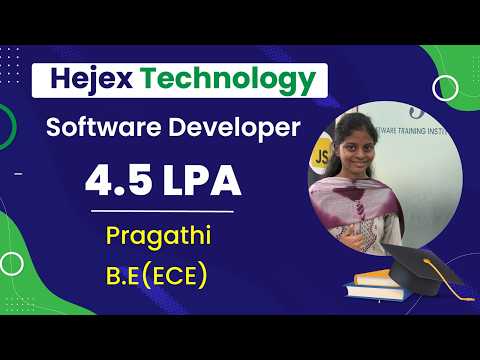
Pragathi, Hejex Technology Java Full Stack alumna
Pragathi
₹4.5 LPA

Learnt Java Full Stack with daily practical tasks, aptitude classes and mock interviews, then joined Accenture.

Prasanna, Hejex Technology Full Stack alumnus
Prasanna
₹4.5 LPA

Combined project work with interview preparation and started his career at Accenture.

Why Learn Java Full Stack at Hejex Technology?

The Java track is built around one goal: a working Spring Boot and React application you can explain layer by layer in an interview.

Small Batches Only

Only 5 students per batch. Get direct attention, daily doubt-solving and mentorship.

100% Placement Support

Every enrolled student gets resume preparation, aptitude training, mock interviews, communication practice, LinkedIn guidance and interview scheduling.

Hands-On Projects

Build Spring Boot and React applications such as a student Q&A portal, a task manager and an expense tracker, and deploy them with Git and GitHub.

Weekday & Weekend Batches

Choose a weekday batch (Monday to Saturday) or a weekend batch (Saturday and Sunday), in class or live online.

Course Completion Certificate

Receive a Hejex Technology course completion certificate after meeting the course requirements.

Industry Expert Trainers

Learn from trainers with hands-on experience in Java, Spring Boot, React and REST API development. Your trainer reviews your code and debugs with you during class.

Clear Course Fees

Fees range from ₹19,000 to ₹40,000 depending on the batch and current offers.

EMI-Friendly Options

Flexible instalment plans are available for the course fee.

Java Full Stack Developer Course Fees in Chennai - Duration and Batch Size

The Java Full Stack Developer Course at Hejex Technology costs ₹19,000 to ₹40,000 depending on the batch and current offers. It includes 350+ hours of hands-on training over approximately 4 to 5 months on a weekday batch, with classroom and live online options.

5 Students maximum per batch
350+ Training hours
4–5 Months (weekday batch)
5+ GenAI integrated projects
Course details for the Hejex Technology Java Full Stack Developer Course in Chennai, including fees, duration, batch size, training modes, projects and placement support.
Course name Java Full Stack Developer Course with Generative AI
Course fees ₹19,000 to ₹40,000, depending on the batch and current offers
Course duration 350+ hours of training; approximately 4 to 5 months on a weekday batch
Class schedule Weekday batches (Monday to Saturday) and weekend batches (Saturday and Sunday)
Batch size Maximum 5 students per batch
Training mode Classroom & Live Online Training
Projects 5+ hands-on projects, each with an AI feature added after the core build
Technologies covered HTML, CSS, Tailwind CSS, JavaScript, TypeScript, React, Angular, Core Java, JDBC, Spring Boot, JPA, REST APIs, MySQL, Postman, Git, GitHub and Spring AI
Who can join Freshers, students, professionals & career switchers
Prerequisites No prior coding experience is required. Basic computer knowledge is enough to get started.
Placement support 100% Placement Support: every enrolled student receives resume reviews, aptitude practice, GitHub setup, communication sessions, mock interviews and interview scheduling
Certification Hejex Technology course completion certificate
Location Hejex Technology, Pallavaram, Chennai, Tamil Nadu
Enquiries +91 84383 87098

Course fees and batch details verified on . Fees may vary depending on the current batch and offers.

Java Full Stack Developer Training Options

Choose classroom or live online Java full stack training. Both follow the same syllabus, projects and batch dates.

Live Online Training

Join live instructor-led sessions from anywhere and write Java, Spring Boot and React code alongside your trainer, with live doubt-clearing during sessions.

Classroom Training

Attend our Java Full Stack Developer Course in Chennai in person at Pallavaram, with your trainer reviewing your Spring Boot controllers, JPA entities and React screens at your desk.

Placement Training

Prepare for Java developer interviews with resume building, project walkthrough practice, Core Java and Spring Boot technical questions, aptitude practice and mock interviews.

Talk to Our Admissions Team

Call us or request a call back for fee details, the next batch start date and weekday or weekend batch options.

Upcoming Java Full Stack Batches

Java Full Stack learners start on the Full Stack batch dates below.

Upcoming Full Stack batch start dates for Java Full Stack learners, with schedule and training mode
Start Date Class Schedule Mode of Training Book Slots
Monday – Saturday Classroom/Online
Saturday – Sunday Classroom/Online
Monday – Saturday Classroom/Online
Saturday – Sunday Classroom/Online
Need a different date or timing?

About Our Java Full Stack Developer Training in Chennai

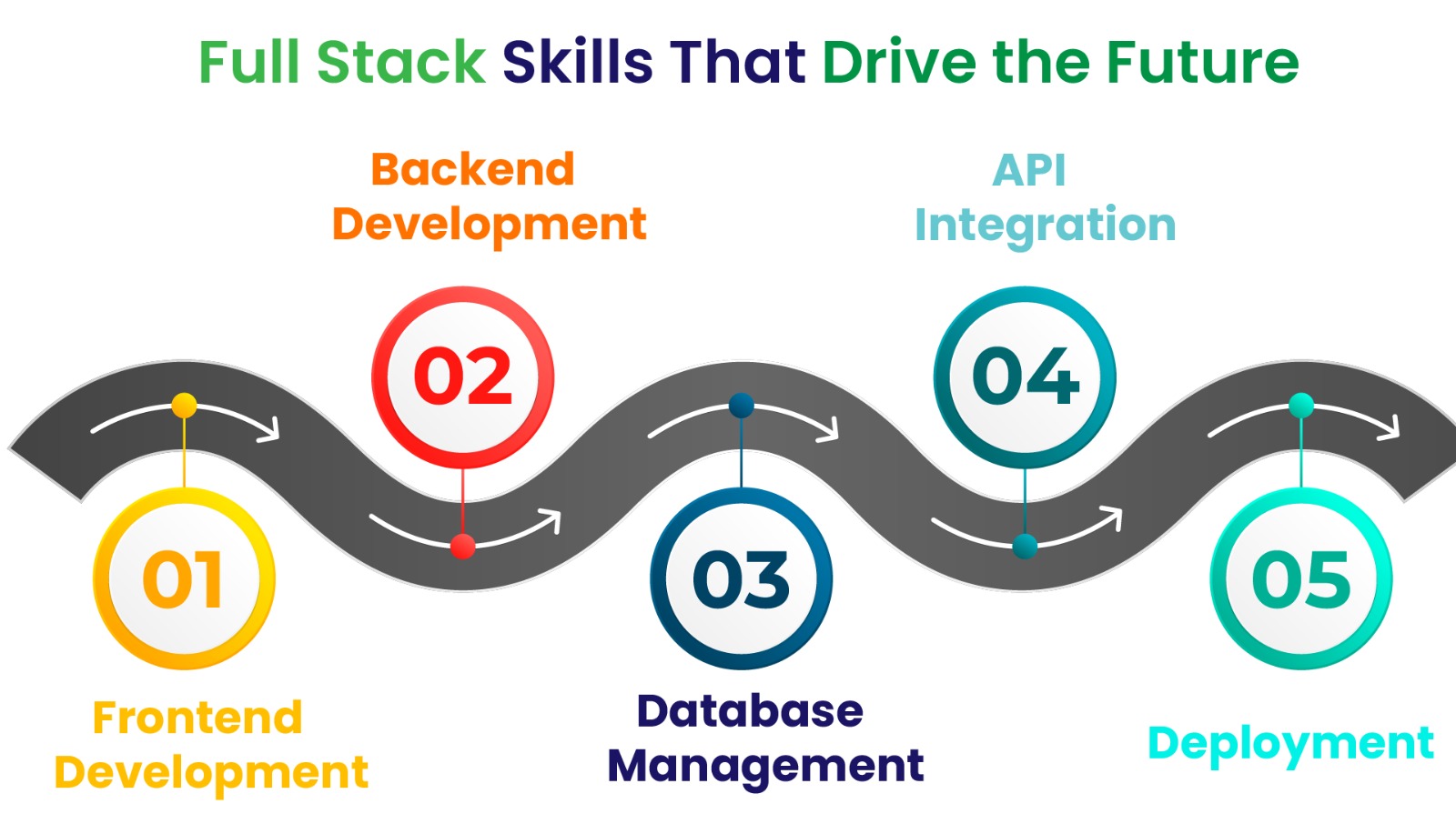
Hejex Technology's Java Full Stack Developer Training in Chennai shows you how a modern web application is built across the frontend, the Java backend, the API layer and the database. You work with HTML, CSS, JavaScript, TypeScript, React and Angular on the frontend, and Core Java, JDBC, Spring Boot, JPA and REST APIs on the backend, with MySQL, Postman, Git and GitHub throughout. Each technology is learnt by using it inside a working application rather than as theory on its own.
Java Full Stack Developer Course in Chennai at Hejex Technology

You build each application's core features yourself first: JPA entities and repositories, Spring Boot controllers and services, REST endpoints tested in Postman, and the React or Angular screens that consume them. JDBC comes before Spring Boot, so you understand what the framework is doing for you. Only once the core works is Generative AI introduced, as a feature you add with Spring AI, such as a chatbot or a content assistant. This order keeps your Java fundamentals strong, so you can explain and defend every layer of your project in interviews.

Tools & Technologies Covered in Java Full Stack Developer Training

HTML5
CSS3
Tailwind CSS
JavaScript
Frontend Project
ECMAScript 6
TypeScript
React JS
Angular
Framework Project
Core Java
JDBC
Spring Boot
JPA
REST APIs
MySQL
Postman
Git & GitHub
Generative AI
Prompt Engineering
Spring AI
Gen AI Integrated Java Full Stack Project

Master Java Full Stack Development Course in Chennai

HTML & CSS

Build the structure, layout and styling of web pages, including responsive layouts with Tailwind CSS.

JavaScript, ES6 & TypeScript

Learn browser programming, modern ES6+ syntax and typed TypeScript code, and call your Spring Boot APIs asynchronously.

React & Angular

Build component-based interfaces in React and Angular, manage forms and state, and connect screens to REST APIs.

Core Java & Spring Boot

Write object-oriented Java with collections, exceptions and streams, then build controllers, services and repositories in Spring Boot.

Databases with JDBC & JPA

Connect Java to MySQL with JDBC and PreparedStatement, then model tables as JPA entities and query them through repositories.

REST API Development

Design endpoints with the right HTTP methods, status codes and JSON responses, and test them in Postman before the frontend uses them.

How the Java Full Stack Training Works

  • Build the Application Yourself: You write the frontend, the Java and Spring Boot services, the REST APIs and the database layer yourself, so you understand how each component connects in a complete application.
  • AI Features After the Core Build: AI tools are not used while you build. Once your project works, you learn prompt engineering and Spring AI and add an AI feature on top.
  • Alumni Career Outcomes: Hejex Full Stack alumni have secured opportunities with companies including Wipro, Infosys, TCS, Cognizant, Accenture, Capgemini, Atos, Hexaware, Zoho, Soft Suave and Softcrylic.

Who Can Join the Java Full Stack Developer Training?

The course suits beginners with no coding experience, college students and fresh graduates building a portfolio for their first developer role, working professionals adding Java and Spring Boot to their skills, and career switchers moving into software development from another field. Weekend batches make it easier to fit around a job.

No prior coding experience is required; basic computer knowledge is enough to start. If you already know some programming, you'll move through the fundamentals faster and spend more of your time on Spring Boot, APIs and integration.

What You'll Learn in the Java Full Stack Course in Chennai?

  • Java Programming Fundamentals: Learn object-oriented programming, collections, exception handling, Java 8 streams and the other Core Java skills backend development depends on.
  • React and Angular Development: Build component-based frontend applications and connect them to Spring Boot through REST APIs.
  • Spring Boot Backend Development: Develop backend services with Spring Boot, covering annotations, JPA entities, repositories, controllers and JUnit tests.
  • REST API Development & API Calls: Build REST endpoints in Spring Boot with GET, POST, PUT and DELETE, test them in Postman, and call them from React with the Fetch API and from Angular with HTTP Client, handling JSON responses, loading states and errors.
  • Database & API Integration: Connect Java to MySQL through JDBC and JPA, and learn how data moves between the database, the API and the frontend.
  • Full Stack Project Development: Bring the frontend, Spring Boot services, REST APIs, database and deployment together in practical full stack projects.


Java Full Stack Developer Course Syllabus in Chennai

This Java Full Stack Developer syllabus covers frontend development, Core Java, JDBC, Spring Boot, REST APIs, databases, full stack integration, deployment, and Generative AI concepts. The modules are structured to help learners progress from web development fundamentals to building and integrating Java-based full stack applications.

Front-End Technologies

Module 1: HTML5 & CSS3

  • HTML Elements
  • HTML Tags
  • HTML List
  • HTML Tables
  • HTML Forms
  • Semantic HTML
  • Introduction to CSS
  • Types of CSS
  • CSS Selectors
  • CSS Background
  • CSS Box Model: Margin, Padding, Border
  • Responsive Design Principles

Module 2: Tailwind CSS Framework

  • Tailwind CSS Intro
  • Tailwind CSS Utility Classes
  • Tailwind CSS Responsive Design
  • Tailwind CSS Flex & Grid Utilities
  • Tailwind CSS Custom Components & Theme Config
  • Tailwind Grid System & Typography
  • Tailwind Buttons & Navbar
  • Tailwind Carousel

Module 3: JavaScript & ECMAScript-6

  • JavaScript Introduction
  • Variables & Data Types
  • Conditional Statements & Loops
  • Functions in JavaScript
  • JavaScript Arrays & Strings
  • JavaScript DOM Manipulation
  • Event Handling & Form Validation
  • ES6 Variables (let & const)
  • ES6 Arrow Functions
  • ES6 Spread Operator
  • ES6 Map Objects
  • ES6 Set Objects
  • ES6 Classes & Objects
  • ES6 Promises
  • Async / Await
  • Fetch API & JSON Handling
  • Optional Chaining
  • Local Storage & Session Storage

Module 4: TypeScript Framework

  • TypeScript Introduction
  • Variables & Data Types
  • Functions & Arrow Functions
  • Arrays & Tuples
  • Objects & Interfaces
  • Classes & Objects
  • Access Modifiers
  • Inheritance & Polymorphism
  • Enums & Type Aliases
  • Generics in TypeScript
  • Modules & Import / Export
  • Promises & Async / Await

Module 5: React JS Framework

  • React JS Introduction
  • React JS Installation & Setup
  • React JSX Syntax
  • React JS Components
  • State & Props in React
  • React Hooks
  • useState & useEffect for Dynamic UI
  • React Router Navigation
  • Controlled Forms in React
  • Form Validation Patterns
  • useContext for Global State Management
  • Fetching REST APIs using useEffect & useState
  • Handling Loading States
  • Error Boundaries in React
  • Managing Empty States in UI

If you want to develop deeper expertise in React and modern front-end development, explore our React JS Training in Chennai.

Module 6: Angular Framework

  • Angular Introduction
  • Angular Installation & Setup
  • Angular CLI & Project Structure
  • Angular Components
  • Angular Templates & Data Binding
  • Event & Property Binding
  • Angular Directives
  • Angular Pipes
  • Component Lifecycle
  • Services & Dependency Injection
  • Angular Routing & Navigation
  • Template Driven & Reactive Forms
  • Form Validation
  • HTTP Client & REST API Integration
  • Angular Interceptors
  • Angular Material & UI Components
  • Angular Project & Deployment

Back-End Development

Module 7: Core Java Programming

  • Java Introduction
  • JDK, JRE & JVM Architecture
  • Data Types
  • Variables
  • Operators
  • Conditional Statements
  • Looping Statements
  • Arrays in Java
  • Strings & String Handling
  • OOP Concepts: Encapsulation, Inheritance, Polymorphism & Abstraction
  • Interfaces & Abstract Classes
  • Java Collections Framework
  • Exception Handling in Java
  • Java 8+ Streams & Lambda Expressions
  • File Handling in Java

Module 8: JDBC & Database Connectivity

  • JDBC Introduction
  • JDBC Configuration & Setup
  • Connection Object in JDBC
  • Types of JDBC Statements
  • Statement & PreparedStatement Objects
  • ResultSet Handling
  • RowSet in JDBC
  • JDBC CRUD Operations

Module 9: Spring Boot Framework

  • Spring Boot Introduction
  • Creating a Spring Boot Application
  • Spring Initializr Setup
  • Spring Boot Auto Configuration
  • Spring Boot Annotations
  • Entity Creation using JPA
  • Repository Layer Creation
  • Controller Creation in Spring Boot
  • JUnit Test Cases
  • Accessing Data with Spring Boot
  • Configuring Spring Boot with MVC
  • Building RESTful Applications

Module 10: REST API Development

  • API Introduction
  • Web Services Overview
  • REST API Fundamentals
  • REST API Architecture
  • Status Codes & JSON Handling
  • GET & POST Methods
  • PUT & DELETE Methods
  • API Integration Techniques

Module 11: Full Stack Integration & Deployment

  • Front-end & Back-end Integration
  • Environment Configuration
  • Error Handling & Logging
  • API Testing with Postman
  • Git & GitHub Integration
  • Production Build & Configuration
  • Full Stack Project Development
  • Application Deployment

Module 12: Generative AI Integration

  • Introduction to Generative AI & LLMs
  • Prompt Engineering Techniques
  • Working with Spring AI
  • AI Chatbot Development
  • AI Content Generation
  • File Upload UI for Document Ingestion

Java Full Stack Developer Trainers at Hejex Technology

Trainers on this course have practical experience in Java, Spring Boot, REST APIs, databases and React. Sessions combine concepts with coding practice, project implementation and interview preparation.

  • Java & Spring Boot Expertise: Learn Core Java, Spring Boot, REST API development and database connectivity from trainers who build with these tools.
  • Hands-On Development Guidance: Trainers guide you through coding exercises, debugging, API development and practical full stack projects.
  • Frontend-to-Backend Integration: Learn how React and Angular interfaces communicate with Spring Boot services through REST APIs.
  • Project Walkthrough Practice: Trainers help you explain your entity design, API structure and debugging decisions the way interviewers will ask about them.

Java Full Stack Trainer: Ramkumar

Attribute Details
Trainer NameRamkumar
Industry Experience8+ Years in Full Stack Development
Core TechnologiesJava, Spring Boot, React, MySQL and REST APIs
Current RoleLead Full Stack Engineer
Companies WorkedTCS, Infosys, Zoho, Cognizant
Students Trained9,300+ Students
Training ModeOnline & Classroom
SpecializationJava, Spring Boot, REST APIs, React JS & MySQL
Talk To Us
Get Java course details and batch availability

Book a Free Java Full Stack Demo

See how a Spring Boot and React class runs before you enrol. Book a free demo and meet the trainer.

Classroom & Live Online • Weekday & Weekend Batches

Student Testimonials for the Java Full Stack Developer Course in Chennai

Java Full Stack Developer Projects with Generative AI

The course includes 5+ hands-on projects. The examples below show the kind of applications you build with Java, Spring Boot, React and MySQL; your final project scope is agreed with your trainer. Each project starts as a working application you build yourself, and the AI feature comes last.

Project 1

AI Chatbot for Student Q&A Portal

Build a question-and-answer portal with React, Spring Boot, REST APIs and MySQL, with an AI assistant that drafts answers to student questions.

Project 2

AI-Powered Task Management Application

Develop a task manager with React, Spring Boot, REST APIs and MySQL that suggests priorities and breaks complex tasks into smaller steps.

Project 3

AI Interview Preparation Platform

Create an interview practice platform with Spring Boot and React where users submit answers and receive AI feedback on strengths, gaps and areas for improvement.

Project 4

AI Resume Screening System

Build a recruitment application with Spring Boot, REST APIs and a database where recruiters upload job descriptions and resumes, and AI compares skills to produce a ranked shortlist.

Project 5

AI-Powered Expense Tracker

Develop an expense manager with React, Spring Boot, REST APIs and MySQL that categorises transactions, flags unusual spending and writes monthly summaries.

Final Project

SmartLearn AI Learning Platform

Build an EdTech application with course enrolment, lessons, quizzes and progress tracking on Spring Boot and React, then add AI-generated quizzes and personalised learner feedback.

Read What Our Students Say

Read Student Reviews

Frequently Asked Questions About Java Full Stack Developer Course in Chennai

The Java Full Stack Developer Course fee at Hejex Technology ranges from ₹19,000 to ₹40,000, depending on the batch and current offers. Flexible instalment plans are available for classroom and live online batches.

The course includes 350+ hours of practical training and takes approximately 4 to 5 months on a weekday batch, which runs Monday to Saturday. Weekend batches on Saturday and Sunday are also available.

Yes. Training starts with web development fundamentals and Core Java before moving to JDBC, Spring Boot, REST APIs and frontend integration. Basic computer knowledge is enough to get started.

You learn HTML, CSS, Tailwind CSS, JavaScript, TypeScript, React and Angular on the frontend, and Core Java, JDBC, Spring Boot and REST APIs on the backend, followed by full stack integration, deployment and Generative AI integration. You apply them together in hands-on projects.

Yes. You first build each application's core features yourself, without AI tools. Generative AI is then taught as a feature you add: prompt engineering, Spring AI, AI chatbot development and AI content generation.

Yes. The course includes 5+ hands-on projects covering frontend interfaces, Spring Boot backends, REST APIs and database integration. You agree your final project scope with your trainer and prepare a GitHub repository that explains setup, features and technical decisions.

Yes. Hejex Technology provides 100% Placement Support, which means every enrolled student receives resume guidance, GitHub portfolio support, aptitude practice, communication sessions, mock interviews and interview scheduling. Job selection and salary depend on your skills, interview performance and employer requirements.

Yes. Classroom training runs at the Hejex Technology centre in Pallavaram, Chennai, and live instructor-led online training is available for learners anywhere. Contact the team to confirm your preferred mode and batch.

Yes. Weekend batches run on Saturday and Sunday, in classroom or live online mode. The team can help you compare weekday and weekend batches and plan regular practice around work or study.

Yes. You can book a free demo session to understand the teaching approach, syllabus and project work, and to discuss fees, duration, batch timings and your learning goals.

Yes. Hejex Technology provides a course completion certificate after you meet the course requirements.

Java Full Stack batches are led by trainers such as Ramkumar, a Lead Full Stack Engineer who works with Java, Spring Boot, React, MySQL and REST APIs.

Choosing Your Java Full Stack Learning Path

Understand how the Java stack fits together, how this course differs from our other tracks, and what to practise before applying for development roles.

How do Java, Spring Boot and React work together?

React or Angular runs the interface in the browser. Spring Boot runs on the server: a controller receives the request, a service applies the business logic, and a JPA repository reads or writes MySQL. The controller returns JSON, which the frontend displays.

Do Java full stack developers still need JavaScript?

Yes. Java handles the backend in this course, while JavaScript and TypeScript power the browser side through React and Angular. Practise both by submitting a form to a Spring Boot endpoint and showing its validation errors on screen.

What is the difference between JDBC and JPA?

JDBC is the low-level Java API for running SQL: you open a connection, write the query and map each row yourself. JPA in Spring Boot maps tables to entity classes and gives you repositories for common queries. The syllabus covers JDBC before Spring Boot, so you understand what JPA is doing for you.

Should I focus on React or Angular?

The syllabus covers both. React appears widely in fresher job postings, while Angular is common in established enterprise codebases. Learn both, then pick one to go deep on for your final project so you can defend it confidently in interviews.

How is this different from the Java Training course?

If you mainly want to learn the Java language, see our Java Training in Chennai. This course uses Java as the backend of complete web applications, together with Spring Boot, REST APIs, React or Angular and MySQL, and ends with a deployed full stack project.

Is Java full stack a good choice for freshers?

Yes, especially if you are aiming at large service companies, where Java with Spring Boot appears often in fresher hiring. Java takes a little longer to start with than some languages, but its strict structure makes it easier to read and debug larger applications later.

Should I choose Java full stack or Python full stack?

Java with Spring Boot appears more often in large service-company hiring, while Python with Django shows up more in product companies, startups and data or AI-related work. Compare the Python Full Stack course, or read our guide on Java vs Python vs MEAN Stack for freshers.

What should a Java full stack portfolio demonstrate?

Show a working interface, REST endpoints with proper status codes, JPA entities with clear relationships, input validation, JUnit tests and useful error handling. Include a deployment link where available and a README explaining setup and the decisions you made.

Which career roles can I prepare for?

The skills support applications for Java developer, Spring Boot developer, backend developer, full stack developer and associate software engineer roles. Titles and responsibilities vary by employer; compare each job description with your project experience.

Why build without AI tools first?

Interviewers ask you to explain your code, debug it and defend your design choices. Building the core application yourself gives you that understanding. Once it works, you learn to add AI features with Spring AI, which is how AI is used in real Java applications.

Compare the backend focus of Hejex Technology course paths
Path Backend focus Explore
Java Full StackCore Java, JDBC, Spring Boot and JPAThis dedicated Java course
Python Full StackPython, Django and Django REST FrameworkPython Full Stack course
Full Stack overviewCompare all development tracksFull Stack Developer training

Java Full Stack Classroom Training in Pallavaram, Chennai

Classroom batches run at our Pallavaram centre in Chennai. If travelling to Pallavaram isn't practical, the same course runs as live instructor-led online training with the same syllabus and batch dates.

Directions and contact details