Generative AI Course in Chennai
Looking for the Best Generative AI Course in Chennai? Hejex Technology is a Top Rated GenAI Training Institute in Chennai, offering a practical curriculum covering Python, LLMs, Prompt Engineering, RAG, and AI agents for freshers and professionals.
Key Benefits Included in Our Generative AI Course in Chennai
- Maximum 5 Students per Batch
- 100% Placement Support
- Production-Grade GenAI Projects
- Resume & GitHub Portfolio Setup
- Technical Mock Interviews
- Mentorship by Narendra Babu
- 4+ Real-Time Capstone Applications
Generative AI Course in Chennai
- Batch Size
- Maximum 5 Students per Batch
- Core Focus
- LLMs, Prompting & RAG
- Course Duration
- 2 to 3 Months Weekday Batches
- Placement
- 100% Support
- Real-Time Project
- 4+ Hands-On GenAI Apps
- Learning Track
- Python, LangChain, Vector DBs
- Training Mode
- Classroom & Live Online
- Language
- English / Tamil
Master Generative AI application development at Hejex Technology in Chennai through practical, mentor-led execution under senior engineer Narendra Babu. Our 150+ hour intensive Generative AI Course covers Python foundations, Large Language Model fundamentals, Prompt Engineering, Vector Databases (ChromaDB), Retrieval-Augmented Generation (RAG), LangChain orchestration, and Autonomous Agent workflows. Build 4+ production-ready capstone projects including Enterprise Knowledge Copilots and Automated Legal Document Extractors, supported by 100% placement assistance in Chennai.
Why Choose Hejex Technology for Generative AI Training in Chennai?
Looking for practical Generative AI training in Chennai? At Hejex Technology, you can explore how generative AI works, experiment with prompts, design AI-assisted workflows and develop practical projects with trainer guidance. Our learning approach focuses on understanding the problem, building a solution and testing AI-generated results instead of simply relying on AI tools. Classroom and live online learning options are available.
Trainer-Guided Learning
Learn through guided explanations, practical exercises and discussions with your trainer. Ask questions, understand challenging concepts and get feedback on your approach to solving problems and developing AI applications.
Hands-On Generative AI Projects
Move beyond watching demonstrations and practise building AI-powered solutions. Project examples can include document assistants, structured information extraction and AI-assisted workflows, depending on the course syllabus.
Understand Before Using AI
Build your problem-solving skills by understanding the task and working through the solution first. Then explore how generative AI can assist, improve or extend your work without replacing your own technical understanding.
Prompting and AI Workflow Design
Learn how instructions, context and prompt structure influence AI responses. Explore how to organise AI-assisted tasks into useful workflows and refine your approach when the results are incomplete or do not meet expectations.
Test and Validate AI Outputs
Generative AI can produce incorrect or inconsistent answers. Learn to review outputs, test different inputs, identify limitations and check results before using them in an application or sharing them with others.
Build a Project Portfolio
Develop practical work that you can discuss during interviews. Learn to explain the problem you solved, the approach you followed, the tools you used, how you tested the result and the limitations you considered.
Career and Interview Preparation
Prepare to present your skills and projects more confidently. Career support can include resume preparation, project walkthroughs, mock interviews and interview-readiness guidance, along with the placement support offered by Hejex Technology.
Flexible Learning and Clear Course Details
Explore classroom training at Chennai, or live online learning, subject to batch availability. Before enrolling, request the current syllabus, duration, fees, batch timings, certificate requirements and details of any separate API or cloud usage charges.
Generative AI Course Fees in Chennai — Duration and Batch Details
The Generative AI course in Chennai at Hejex Technology offers 150+ hours of training over approximately 2 to 3 months in a weekday batch, with a maximum of 5 students per batch. Learners gain hands-on experience through 3+ Generative AI projects, building practical AI applications as they progress. Course fees range from ₹25,000 to ₹45,999, depending on the selected batch and current offers. Classroom training in Chennai and live online classes are available, with placement training included at no additional cost.
| Course name | Generative AI Course in Chennai |
|---|---|
| Learning path | Python / LLM APIs / RAG / AI Workflows / Deployment |
| Course duration | 150+ hours of training; approximately 2–3 months for weekday batches |
| Batch size | Maximum 5 students per batch |
| Course fees | ₹25,000 to ₹45,999 |
| Class schedule | Monday to Friday |
| Training mode | Classroom & Live Online Training |
| Projects | Guided AI application projects and a capstone |
| Technologies covered | Python, model APIs, prompt engineering, embeddings, vector search, LangChain, graph-based workflows, FastAPI, Streamlit, Git and GitHub |
| Who can join | Students, graduates, developers, working professionals and career switchers |
| Prerequisites | Python fundamentals help with the coding projects |
| Career support | Resume reviews, GitHub setup, mock interviews |
| Certification | Hejex Technology course completion certificate |
| Location | Hejex Technology, Chennai, Tamil Nadu |
| Enquiries | +91 84383 87098 |
Course fees and batch details verified on 19 October 2026. The batch size is capped at 5 students and the course includes 150+ hours of training. Fees may vary depending on the current batch and offers.
Generative AI Training Options
Our top-rated Generative AI Training is available in Chennai in both classroom and online formats. The course duration is 150+ hours. Get hands-on with 3+ Generative AI Projects and the industry skills you need to succeed.
Live Online Training
Join live instructor-led sessions, follow practical demonstrations and discuss your code. Confirm session timings, access arrangements and project review support.
Classroom Training
Learn in Chennai with guided exercises and face-to-face discussions. Ask for the classroom batch schedule and visit the centre before enrolling.
Placement Training
Prepare to present your projects and explain your decisions. Enquire about resume guidance, technical interview practice and the career support included in your batch.
Ready to Start Building Generative AI Applications?
Bring your learning goals to a course discussion. Our team can explain the syllabus, prerequisites and available training options.
Upcoming Generative AI Batches
| Start Date | Class Schedule | Mode of Training | Book Slots |
|---|---|---|---|
| Monday – Friday | Classroom/Online |
|
|
| Saturday – Sunday | Classroom/Online |
|
|
| Monday – Friday | Classroom/Online |
|
|
| Saturday – Sunday | Classroom/Online |
|
Generative AI Training Institute in Chennai
Generative AI applications combine a language model with data, software and a clear user task. In this course, you will explore each part through practical exercises: writing Python, calling a model API, retrieving useful context and turning the response into a working feature. You will also learn to test what happens when the question is unclear or the source documents do not contain an answer.

A chatbot can look impressive in a demo and still fail on everyday questions. That is why this learning path includes evaluation, debugging and safe data handling alongside prompting. Build something you can explain, measure and improve, rather than a collection of prompts you can only copy.
Tools & Technologies Covered in the Generative AI Course
Build Your Generative AI Application Skills
Python Foundations
Write Python functions, handle JSON and work with APIs. These are the building blocks you will reuse in each AI project.
Prompt Engineering
Give the model clear instructions, examples and output requirements. Compare results against a small set of test questions.
LLM Application Development
Connect a model to an application, handle errors and keep API keys on the server. Track usage and response time.
Retrieval-Augmented Generation
Prepare documents, retrieve relevant passages and ask the model to answer using the evidence. Show sources and handle missing context.
AI Workflows and Agents
Let a model use a limited set of tools within a controlled workflow. Add human review where an action needs approval.
Evaluation and Deployment
Test quality, security and cost before release. Deploy a working application with sensible usage limits and monitoring.
GenAI Mentorship & Named Project Portfolios
Trained under industry veteran Narendra Babu alongside hands-on execution of 4 named production-grade GenAI projects:
| Project Name | Core Architecture & Technologies |
|---|---|
| Enterprise RAG Knowledge Copilot | LangChain, ChromaDB, Hugging Face Embeddings, FastAPI |
| Autonomous Multi-Agent Task Planner | AutoGPT style agent loops, Tool Calling, OpenAI function schemas |
| Automated Legal Document Extractor | Pydantic Structured Outputs, GPT-4o, PDF Parsing Pipeline |
| Secure LLM Chatbot with Guardrails | Prompt Injection Defense, LlamaIndex, Streamlit UI |
Lead GenAI Technical Trainer: Narendra Babu (Industry Expert)
Why Learn Generative AI at Hejex Technology?
- Build With Guidance: Work through practical examples and discuss the choices behind your code.
- Understand the Basics: Learn how tokens, prompts, embeddings and retrieval fit together.
- Test Your Work: Check groundedness, relevance and failure cases with repeatable examples.
- Use AI Responsibly: Practise permissions, privacy, safe tool use and human review.
- Prepare a Portfolio: Document setup, architecture, evaluation results and known limitations.
- Explore Career Support: Ask what interview and portfolio guidance is included in your batch.
- Choose Your Format: Enquire about classroom and live online schedules.
Choosing Your Generative AI Learning Path
If you are new to coding, start with Python and small API exercises. If you already build applications, you can spend more time on retrieval, evaluation and deployment. The right starting point is the one that lets you understand the code you are using.
If you want a broader foundation in interfaces, back-end services and databases first, compare our Full Stack Developer and Python Full Stack learning paths. Generative AI can then become a practical extension of those skills. Explore Full Stack training.
Who Should Join the Generative AI Course in Chennai?
This learning path suits people who want to understand and build AI-powered applications, including students, graduates, developers and professionals exploring a new technical direction.
- Beginners: Start with Python foundations and progress through manageable coding exercises.
- Students and graduates: Build a portfolio that shows what you understand and how you test your work.
- Software developers: Add model APIs, retrieval and controlled AI workflows to your application skills.
- Working professionals and career switchers: Explore practical uses of Generative AI and assess the coding skills needed for your goals.
You do not need to arrive as an AI expert. You do need time to practise. Basic computer skills are useful, and a working knowledge of Python makes the application projects easier to follow.
What Will You Learn in the Generative AI Course?
- Python and APIs: Read and write Python, work with JSON and connect an application to external services.
- LLM Fundamentals: Understand context windows, tokens, model limitations and inference costs.
- Prompt Design: Create instructions and examples, request structured outputs and validate results.
- Document Retrieval: Use embeddings and vector search to supply relevant context for an answer.
- AI Workflows: Add tools, state and human review to a controlled sequence of steps.
- Evaluation and Deployment: Test responses, protect data, track usage and publish a working application.
Generative AI Course Syllabus in Chennai
Python and AI Foundations
Module 1: Python Setup and Programming Basics
- Install Python and an editor
- Create virtual environments
- Variables and data types
- Conditions and loops
- Functions and return values
- Lists, tuples and dictionaries
- Basic file operations
- Python practice exercises
Module 2: Python for Working with Data
- Read and write JSON
- Load CSV and text files
- Work with paths and files
- Clean and validate text
- Use list comprehensions
- Organise reusable functions
- Handle exceptions
- Prepare a small dataset
Module 3: APIs, Packages and Developer Tools
- Install and manage packages
- HTTP requests and responses
- Status codes and timeouts
- API authentication
- Environment variables
- Git repositories and commits
- GitHub project documentation
- Build a Python API client
Module 4: AI and Machine Learning Foundations
- AI, machine learning and deep learning
- Generative versus predictive systems
- Training versus inference
- What models can and cannot do
- Data quality and bias
- Application development versus model training
- Task selection
- Introductory model experiments
Module 5: Large Language Model Fundamentals
- Tokens and tokenisation
- Context windows
- Model inputs and outputs
- Sampling and temperature
- Latency and token costs
- Model families and capabilities
- Model selection trade-offs
- Reasoning about model limitations
Spend time practising Python, API calls and debugging before moving to larger AI applications. A sound programming foundation makes it easier to understand and improve the examples.
Module 6: Prompt Engineering
- Clear task instructions
- Roles and relevant context
- Few-shot examples
- Prompt templates
- Delimiters and input boundaries
- Output constraints
- Iterative prompt testing
- Document prompt behaviour
Model Integration and Retrieval
Module 7: Structured Outputs and Validation
- JSON response design
- Schema-based output formats
- Python validation models
- Missing and invalid fields
- Retries and repair strategies
- Separating instructions from input
- Extraction practice
- Compare outputs on labelled examples
Module 8: Model APIs and Reliable Integration
- Set up a model API client
- Keep API keys server-side
- Request and response handling
- Streaming responses
- Rate limits and retries
- Timeout and error recovery
- Usage monitoring
- Build a conversational endpoint
Module 9: Embeddings and Semantic Search
- What embeddings represent
- Embedding model selection
- Similarity measures
- Semantic versus keyword search
- Prepare document metadata
- Create an embedding index
- Retrieve relevant examples
- Assess retrieval quality
RAG and Application Workflows
Module 10: Document Loading and Chunking
- Load text and PDF documents
- Clean extracted content
- Chunk size and overlap
- Preserve titles and source metadata
- Handle tables and noisy extraction
- Track document versions
- Process only approved data
- Compare chunking approaches
Module 11: Vector Stores and Retrieval
- Store document vectors
- Local and hosted vector-store concepts
- Filter by metadata
- Retrieve top matching passages
- Hybrid retrieval concepts
- Reranking concepts
- Update and remove documents
- Inspect search results
Module 12: Retrieval-Augmented Generation
- Build a retrieval pipeline
- Construct context-grounded prompts
- Return source references
- Handle insufficient evidence
- Reduce irrelevant context
- Test conflicting information
- Measure grounding and relevance
- Build a document question-answering assistant
For a broader Python web development path, explore our Python Full Stack Developer Course in Chennai alongside this application-focused Generative AI syllabus. View the Python Full Stack course.
Evaluation, Security and Deployment
Module 13: LangChain and Application Orchestration
- Model and retriever interfaces
- Reusable workflow components
- Prompt and output pipelines
- State and conversational context
- Structured component outputs
- Debug and trace execution
- Keep dependencies manageable
- Choose simple code when sufficient
Module 14: Graph-Based AI Workflows
- Represent steps and state
- Conditional routing
- Bounded loops
- Human review steps
- Checkpoint and recovery concepts
- Manage workflow errors
- Inspect execution paths
- Build a controlled multi-step workflow
Module 15: Tool Calling and AI Agents
- Define tool input schemas
- Model-requested tool calls
- Validate arguments
- Restrict tool permissions
- Read-only versus state-changing actions
- Require approval for consequential actions
- Set execution limits
- Explain workflow versus agent behaviour
Module 16: AI Application Interfaces
- Build a Streamlit interface
- Create FastAPI endpoints
- Validate incoming requests
- File upload limits
- Conversation display
- Show sources and uncertainty
- Loading and error states
- Connect the interface to the AI service
Module 17: Evaluation and Testing
- Create a representative test set
- Groundedness and relevance
- Measure retrieval performance
- Validate structured extraction
- Test ambiguous questions
- Compare baseline and revised prompts
- Regression tests for important behaviours
- Document observed limitations
Module 18: Responsible AI and Application Security
- Prompt injection risks
- Private and sensitive information
- Data minimisation
- Access controls
- Safe logs and redaction
- Bias and fairness considerations
- Human oversight
- Respect data and content permissions
Module 19: Deployment, Monitoring and Cost Controls
- Manage environment secrets
- Package the application
- Deploy an API or interface
- Set usage limits
- Monitor latency and failures
- Estimate model and hosting costs
- Maintain dependencies
- Write deployment documentation
Module 20: Generative AI Capstone Project
- Define a clear user problem
- Choose a model and retrieval approach
- Build an end-to-end application
- Add sources and safe failure paths
- Evaluate with realistic examples
- Review security and cost controls
- Publish a working demonstration
- Present architecture and trade-offs
Generative AI Trainer and Project Guidance
- Discuss your programming background and learning goals before choosing a batch.
- Ask who will teach your Generative AI batch and request their relevant project experience.
- Use practical reviews to understand your code, retrieval results and evaluation findings.
- Prepare to explain model limitations, application decisions and project trade-offs in interviews.
Senior GenAI Engineer
| Attribute | Details |
|---|---|
| Trainer Name | Narendra Babu (Lead Senior GenAI Engineer) |
| Industry Experience | Industry Experienced in Gen-AI & LLMs |
| Core areas | Python, model APIs, prompting, retrieval and evaluation |
| Teaching approach | Guided demonstrations, practice and discussion |
| Training mode | Live Online & Classroom |
Ready to Build Your First Generative AI Application?
Tell us what you want to learn. We can walk you through the syllabus, explain the prerequisites and discuss a batch that fits your schedule.
Explore the Syllabus • Confirm Your Batch • Plan Your Learning
Generative AI Projects You Can Build
Use these project briefs to practise building, testing and explaining AI applications. Confirm the final project scope for your selected batch.
Document Q&A Assistant
Turn approved documents into a question-answering assistant. Retrieve relevant passages, show source references and test questions that the documents cannot answer.
AI Task Planning Assistant
Convert a goal into a draft checklist and let the user review it. Request structured output, validate it and keep the final decisions with the user.
AI Interview Practice Tool
Create practice questions and draft feedback against a clear rubric. Let learners compare suggestions with reference answers and review inaccurate feedback.
Structured Document Extractor
Extract selected fields from sample documents into validated JSON. Test missing fields and noisy input, and compare the result with a labelled test set.
Human-Reviewed Support Copilot
Retrieve approved support information and draft a response. Add escalation for missing context and require a person to approve replies before sending.
Generative AI Capstone Application
Combine an interface, model API, retrieval or tools, and an evaluation set. Deploy a demo and document the architecture, usage costs and known limitations.
Generative AI Course Completion and Portfolio
A course completion certificate can record your training, while your projects show what you can do. Ask admissions to confirm the Generative AI assessment and completion requirements before enrolling.
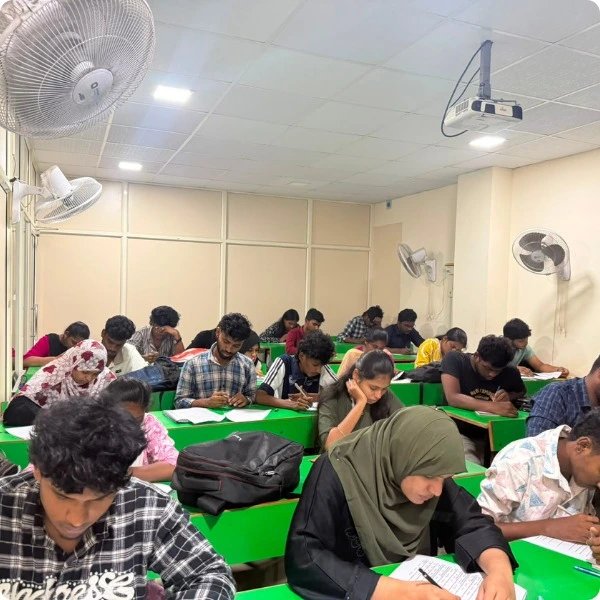
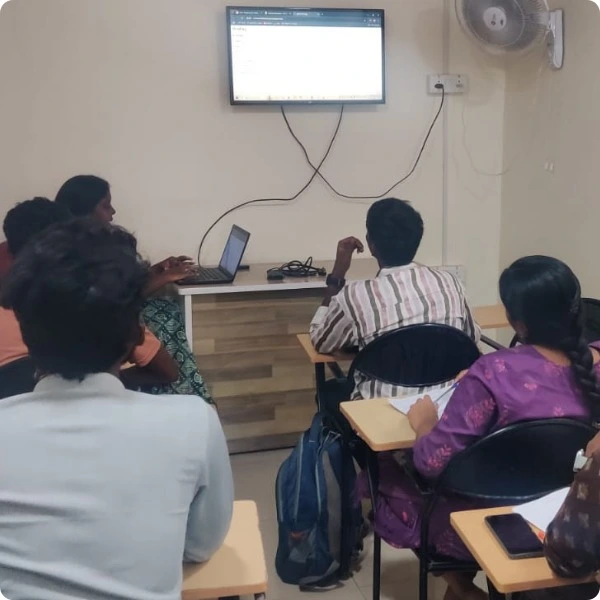

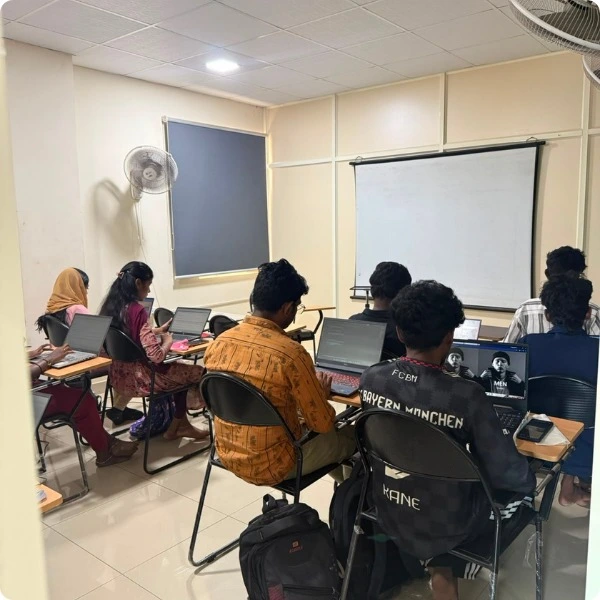
Build a portfolio that lets someone follow your work: a clear problem statement, readable code, setup instructions and a demonstration. Include examples of both successful answers and situations your application cannot handle.
Practise explaining why you chose a model, how you prepared the documents and what changed after testing. Those details make your work easier to assess than a polished screenshot alone.
How to Get More From Your Generative AI Training
Use your course work to develop practical understanding of model integration, retrieval and evaluation. A certificate supports your learning record; it does not replace the ability to demonstrate and explain a working application.
Practise With Feedback
Bring your code and questions to project discussions. Ask how individual feedback is organised and how much practice time to set aside between sessions.
Build Strong Technical Foundations
AI tools change quickly, so focus on durable skills: clear application design, good data handling, testing, debugging and sensible operational limits.
Document Your Learning
Confirm the certificate requirements, issuing organisation and assessment process. Keep your project repository and demo ready to share alongside your learning record.
Prepare for Relevant Opportunities
Explore roles that combine programming with AI application development. Build the required software skills and practise technical interviews. Job titles and requirements vary by employer.
Career Paths Related to Generative AI Skills
Generative AI Application Developer
A Generative AI application developer connects models to user-facing software. Tasks can include prompting, API integration, retrieval, evaluation and monitoring.
Your projects can demonstrate these skills through a working application with tests, documentation and an explanation of the design choices.
Python Developer with AI Skills
A Python developer with AI skills builds services that process data and connect to model APIs. Reliable code, testing and API design remain essential.
Use the Python modules and application exercises to strengthen these foundations while exploring how AI features fit into an existing service.
RAG Application Developer
A RAG application developer works on document ingestion, retrieval and source-grounded responses. The role requires careful evaluation of both search results and generated answers.
The retrieval modules let you practise chunking, embeddings, metadata filters and ways to handle missing evidence.
Broader back-end skills can help you build and maintain these services. Compare our Python Full Stack learning path if you want more web development foundations.
AI Workflow Developer
An AI workflow developer combines model calls with tools, application state and human review. Predictable behaviour and permission boundaries matter as much as a successful demo.
Build a controlled workflow, document its failure paths and show how a reviewer can inspect the result before an important action is taken.

Frequently Asked Questions About Generative AI Training in Chennai
Understanding Generative AI Before You Enrol
A few clear explanations can make it easier to choose a learning path. Here are practical answers to the questions people ask when they move from using AI tools to building AI applications.
What is Generative AI?
Generative AI produces new content, such as text, from a model’s learned patterns and the context you provide. An application adds instructions, data and software around the model so it can help with a specific task. The output still needs to be checked.
Is prompt engineering enough to build AI applications?
Prompting is one part of the job. A working application also needs input validation, API integration, error handling, data permissions, evaluation and an interface people can use. Learn prompting alongside these software skills.
What is the difference between RAG and fine-tuning?
RAG retrieves external information when a question is asked and supplies it as context. Fine-tuning changes a model’s behaviour through additional training. Start by identifying the problem: access to current documents and a different response style are different needs.
How should you plan your learning time?
Start with your current programming skills and the application you want to build. Set aside regular time for coding, debugging and evaluation between classes. Ask for a batch plan that includes both teaching hours and expected independent practice.
Do you need a computer science degree?
A degree is not the only way to learn AI application development. You will need to build programming and problem-solving skills, read documentation and practise. Employers set their own qualification requirements, so check the roles you want to pursue.
Will Generative AI replace the need to learn programming?
AI can help draft code, but you still need to understand it. You are responsible for checking errors, permissions and behaviour. Programming knowledge lets you decide whether a generated solution is useful and repair it when it fails.
How is an AI agent different from a chatbot?
A chatbot mainly exchanges messages. An agent can choose and call tools as part of a task. That extra capability needs boundaries: permitted tools, validated arguments, execution limits and human approval for consequential actions.
What makes a useful Generative AI portfolio project?
Pick a specific problem and show a working solution. Include source references where appropriate, an evaluation set, a clear README and examples of failure handling. Be ready to explain the trade-offs you made rather than only demonstrating the happy path.
Which programming language should you start with?
Python is a practical starting point for this learning path because it is used in the exercises and integrations. Learn functions, data structures, file handling and HTTP requests first. You can add interface technologies when the application needs them.
How do you check whether an AI answer is reliable?
Compare the answer with trusted evidence and expected outputs. For document assistants, inspect the retrieved passages and source references. Test unsupported questions, conflicting context and instructions designed to distract the model.
Who should choose this Generative AI learning path?
Choose it if you want to build model-powered applications and are willing to practise coding. Students, developers and working professionals can start at different levels. Discuss your background before choosing the batch.
Will you use real business data in projects?
Start with public, synthetic or permission-approved data. Avoid uploading personal or confidential information without authorisation. A realistic project does not need private customer data to demonstrate retrieval, extraction or workflow design.
What should a course completion certificate tell you?
It should clearly identify the training provider and completed course. Ask about assessments and project requirements. Your repository, demo and ability to explain the work provide additional evidence of practical skills.
What should you check before enrolling?
Confirm the syllabus, trainer, teaching hours, batch size, fees, project reviews, certificate requirements and refund policy. Ask about API and hosting costs. A clear written course plan helps you judge whether the programme fits your goals.