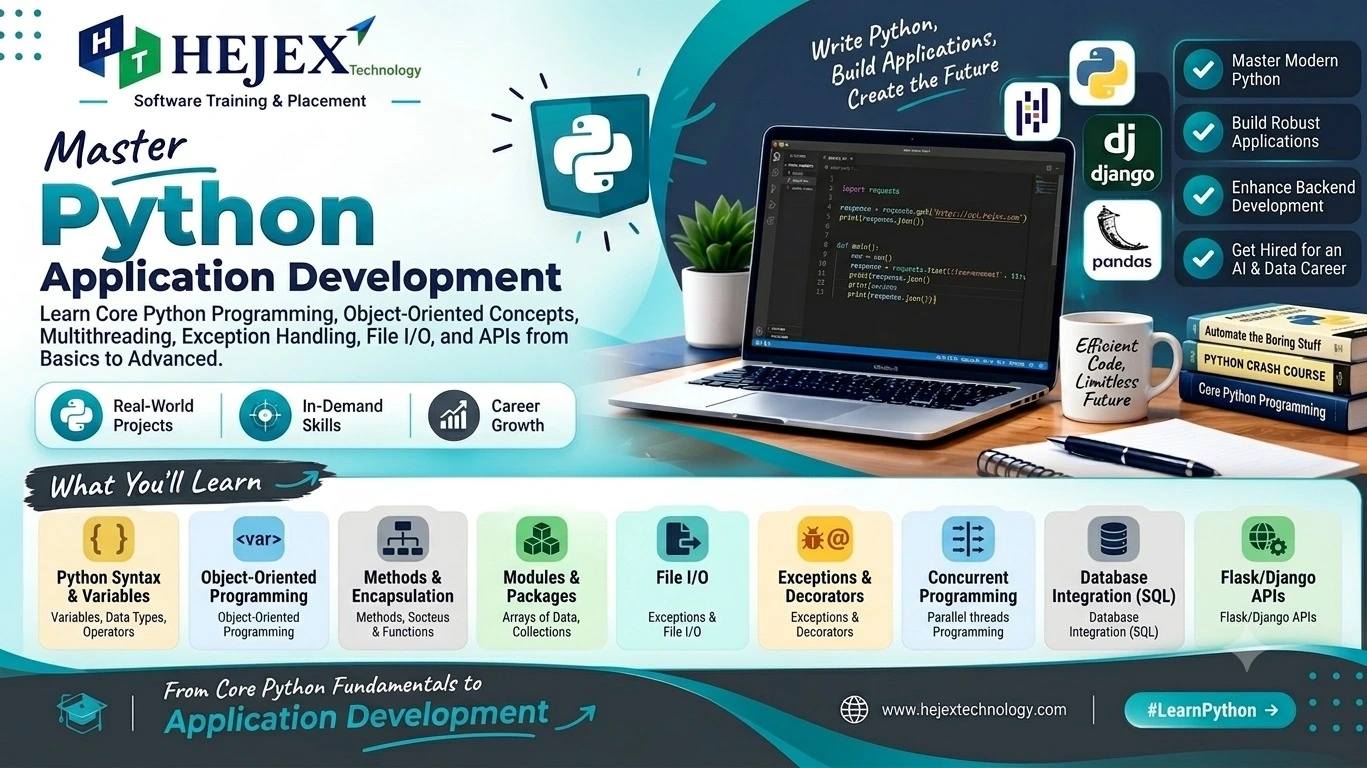
Python Introduction
Python is a high-level, general-purpose programming language designed with an emphasis on readability and developer productivity. Its syntax is relatively easy to understand, which makes Python a popular choice for beginners as well as experienced developers.
What is Python?
Python is an interpreted language. In a typical development workflow, Python code is executed by the Python interpreter rather than being compiled into a traditional standalone executable in the same way as languages such as C or C++.
Python is widely used for backend development, APIs and application logic. If you want to combine Python backend development with frontend technologies, databases and APIs to build complete web applications, explore our Full Stack Developer Course in Chennai .
Python Installation & IDLE Setup
Before learning Python programming, you need an environment where you can write and execute Python programs. The easiest option for beginners is IDLE, which is included with the standard Python installation.
IDLE stands for Integrated Development and Learning Environment. It provides a simple interface for writing, editing, and executing Python programs without requiring a separate code editor.
Datatypes, Variables & Operators
Every Python program works with data. A program may need to store a person's name, calculate a salary, compare two numbers, store multiple values, or perform mathematical calculations.
Python provides variables to store or refer to values, data types to describe the kind of data being used, and operators to perform operations on that data.
Variables
A variable is a name used to refer to a value stored during program execution.
For example:
name = "Arun"
age = 22
salary = 25000.50
In this example:
-
namerefers to the string"Arun". -
agerefers to the integer22. -
salaryrefers to the floating-point value25000.50.
= operator does not mean "equal to" in the
mathematical sense. It means that the value on the right is
assigned to the variable on the left.
Variable Naming Rules
Python has rules that must be followed when creating variable names.
| Rule | Example |
|---|---|
| Can contain letters | studentName |
| Can contain numbers | student1 |
| Can use underscore | student_name |
| Cannot start with a number | 1student ❌ |
| Cannot contain spaces | student name ❌ |
| Cannot use Python keywords | class ❌ |
The same variable can refer to values of different types at different points during program execution.
Python Data Types
A data type defines the kind of value that Python is working with. Different types support different operations.
Some of the most commonly used built-in Python data types are:
| Data Type | Example | Description |
|---|---|---|
int |
25 |
Whole numbers |
float |
25.50 |
Decimal numbers |
complex |
3 + 4j |
Complex numbers |
str |
"Python" |
Text or sequence of characters |
bool |
True |
Boolean values |
list |
[10, 20, 30] |
Ordered and mutable collection |
tuple |
(10, 20, 30) |
Ordered and immutable collection |
set |
{10, 20, 30} |
Collection of unique values |
dict |
{"name": "Arun"} |
Key-value collection |
NoneType |
None |
Represents the absence of a value |
Operators
Operators are symbols or keywords used to perform operations on values and variables.
Python provides several categories of operators.
| Category | Operators | Purpose |
|---|---|---|
| Arithmetic | + - * / // % ** |
Mathematical operations |
| Comparison | == != > < >= <= |
Compare values |
| Assignment | = += -= *= /= |
Assign and update values |
| Logical | and or not |
Combine logical conditions |
Conditional Statements & Loops
Python uses conditional statements to make decisions and loops to repeat tasks. Conditional statements run different blocks of code depending on whether an expression is true or false, while loops repeat a block of code until a condition is no longer satisfied.
if Statement
The if statement executes a block when its
condition evaluates to True. Python uses
indentation to define the statements that belong to the
block.
age = 20

if age >= 18:
    print("Eligible to vote")
if-else Statement
Use else when you need one block to run when
the if condition is false. This is useful when
a program has two possible outcomes.
number = 7

if number % 2 == 0:
    print("Even")
else:
    print("Odd")
elif Statement
The elif keyword checks another condition when
the previous condition is false. You can use multiple
elif branches when several outcomes are
possible.
marks = 82

if marks >= 90:
    print("A")
elif marks >= 75:
    print("B")
elif marks >= 50:
    print("C")
else:
    print("Fail")
Nested Conditions
A conditional statement can contain another conditional statement. Nested conditions are useful when the second decision depends on the result of the first decision, but they should be kept simple so the program remains readable.
age = 25
has_id = True

if age >= 18:
    if has_id:
        print("Entry allowed")
    else:
        print("ID required")
else:
    print("Entry not allowed")
for Loop
A for loop is commonly used to iterate over
items in a sequence such as a list, tuple or string. The
loop executes once for each item.
names = ["Arun", "Kumar", "Priya"]

for name in names:
    print(name)
while Loop
A while loop repeats its block while a
condition remains true. Make sure the condition can
eventually become false to avoid an unintended infinite
loop.
count = 1

while count <= 5:
    print(count)
    count += 1
break and continue
The break statement stops a loop immediately.
The continue statement skips the remaining
statements in the current iteration and moves to the next
iteration.
for number in range(1, 6):
    if number == 4:
        break
    print(number)
Using Operators in Conditions
Conditions commonly use comparison operators such as
==, !=, >,
<, >= and
<=. Logical operators such as
and, or and not can
combine or reverse conditions.
age = 25
city = "Chennai"

if age >= 18 and city == "Chennai":
    print("Eligible")
When writing conditional logic, keep each condition clear and use indentation consistently. Simple conditions are easier to read, test and maintain than deeply nested decision blocks.
Python Functions
A function is a reusable block of code designed to perform a specific task. Instead of writing the same logic repeatedly, you can place it inside a function and call that function whenever you need it.
Functions are one of the most important concepts in Python because they help break a large program into smaller and more manageable parts.
For example, an application may contain separate functions for calculating salary, validating a user, calculating an order total, sending a message, or processing data.
- Reduce code repetition
- Divide a large program into smaller tasks
- Improve code readability
- Make code easier to test and debug
- Allow the same logic to be reused multiple times
- Make programs easier to maintain
Understanding a Function
A Python function is created using the
def keyword. The function has a name, optional
parameters, and a block of statements.
def greet(name):
  return f"Hello, {name}"

message = greet("Arun")
print(message)
Modules & Packages
As applications become larger, keeping every function and class in a single file becomes difficult. Python modules and packages provide a way to organize code into reusable components.
Using a Built-in Module
import math

print(math.sqrt(25))
print(math.pi)
Python Data Structures
Python data structures are used to store and organize multiple values. The main built-in structures are lists, tuples, sets and dictionaries. The right choice depends on whether you need ordered data, modification, unique values or key-value access.
Lists
A list is an ordered and mutable collection. You can store different values, access items by index and change the contents after creating the list.
fruits = ["Apple", "Banana", "Mango"]

print(fruits[0])
fruits.append("Orange")
print(fruits)
Common List Operations
Frequently used list methods include
append() for adding an item,
remove() for removing a value,
pop() for removing an item by position, and
sort() for ordering values.
numbers = [3, 1, 4, 2]

numbers.append(5)
numbers.remove(1)
numbers.sort()

print(numbers)
Tuples
A tuple is an ordered collection that is immutable after creation. Tuples are useful when a group of values should remain unchanged.
student = ("Arun", 22, "Chennai")

print(student[0])
print(student[1])
Sets
A set stores unique values and is useful when duplicate items should be removed. Sets also provide operations such as union and intersection.
numbers = {1, 2, 2, 3, 4}

print(numbers)
numbers.add(5)
print(numbers)
Dictionaries
A dictionary stores data as key-value pairs. It is useful when each value needs a meaningful key for access, such as a user's name, age or city.
student = {
    "name": "Arun",
    "age": 22,
    "city": "Chennai"
}

print(student["name"])
student["age"] = 23
print(student)
Nested Data Structures
Python structures can contain other structures. For example, a list can contain dictionaries, which is a common pattern when working with collections of records.
students = [
    {"name": "Arun", "age": 22},
    {"name": "Priya", "age": 21}
]

for student in students:
    print(student["name"])
OOP Concepts: Classes, Objects, Inheritance & Polymorphism
Object-Oriented Programming, commonly called OOP, is a programming approach where data and the operations performed on that data are organized into objects.
Instead of writing an entire program as a collection of unrelated functions, OOP allows us to model real-world entities such as students, employees, customers, products and vehicles as objects.
Python supports several important OOP concepts including classes, objects, attributes, methods, constructors, inheritance and polymorphism.
Classes and Objects
A class defines the properties and behaviors that its objects will have. It acts like a blueprint for creating objects.
An object is an actual instance of a class. Multiple objects can be created from the same class, and each object can contain different data.
Example:
- Class: Student
- Objects: Arun, Priya, Kumar
- Attributes: name, age, course
- Methods: study(), attend_class()
class Student:

  def greet(self):
      print("Hello Student")


student1 = Student()

student1.greet()
Here, Student is the class and
student1 is an object created from that class.
The greet() method defines a behavior that the
object can perform.
Exception Handling in Python
Errors and Exceptions
Exception handling lets a Python program respond to runtime problems without stopping unexpectedly. Use try and except to handle errors, with else for successful execution and finally for cleanup.
File Handling in Python
Basic File Handling Process
Python can read and write files using open(). Common modes include r for reading, w for writing and a for appending. Use with to manage files safely and close them automatically.
List Comprehension
List comprehension provides a short and readable way to
create a new list from an existing iterable such as a list,
tuple, range, or string. Instead of writing a separate
for loop and using append(), the
expression and loop can be written in a single line.
Traditional Approach
Normally, we create an empty list and use a
for loop to add each calculated value to it.
numbers = [1, 2, 3, 4, 5]

squares = []

for number in numbers:
  squares.append(number * number)

print(squares)
Lambda Functions
A lambda function is a small anonymous function that can
perform a simple operation without defining a function using
def. It is generally used when a function is
needed for a short operation, especially when working with
functions such as sorted(), map(),
and filter().
Basic Lambda Function
A lambda function can accept parameters and return the
result of an expression. In the example below, the function
receives x
and returns its square.
square = lambda x: x * x

print(square(5))
Decorators in Python
Decorators are used to modify or extend the behavior of an existing function without changing its original implementation. They are commonly used when the same additional functionality needs to be applied to multiple functions.
Python treats functions as objects, which means a function can be passed as an argument to another function and can also be returned from a function. Decorators use this feature to wrap an existing function with additional behavior.
Basic Structure of a Decorator
A decorator normally contains another function inside it. The inner function is responsible for adding the extra behavior and then calling the original function.
def decorator_function(original_function):

  def wrapper():
      # Additional behavior
      original_function()

  return wrapper
Here, original_function represents the function
that we want to modify, while
wrapper() contains the additional behavior.
Generators & Iterators
Iterators provide values one at a time, while generators create those values lazily with yield. They are useful when processing large amounts of data without storing everything in memory.
def numbers():
  for i in range(3):
    yield i

for value in numbers():
  print(value)
Virtual Environments
A virtual environment is an isolated environment used to install Python packages for a specific project. It helps prevent package conflicts between different Python projects.
For example, one project may require a particular version of a library, while another project may require a different version. Virtual environments allow both projects to maintain their own packages.
Creating a Virtual Environment
Python provides the venv module to create a
virtual environment.
python -m venv myenv
Here, myenv is the name of the virtual
environment. You can choose a different name if required.
Common Python Mistakes
- Using incorrect indentation: Keep consistent indentation because Python uses indentation to define code blocks.
- Using mutable default arguments: Avoid using mutable objects such as lists or dictionaries as default function arguments.
-
Confusing = and ==:
Use
=for assignment and==for comparing values. -
Ignoring exceptions:
Handle expected runtime errors with appropriate
tryandexceptblocks. - Using global variables unnecessarily: Keep data local to functions or appropriate classes instead of making application state global.
- Ignoring input validation: Validate user input and external data before processing it in an application.
- Writing overly complex code: Keep functions focused, use meaningful names, and prefer simple and readable Python code.
A useful development rule is to write readable Python code, keep functions focused, handle errors appropriately, validate external data, and use additional architecture only when the application actually requires it.
Python Learning Roadmap
Learn Python in dependency order rather than treating every topic as an isolated feature.
- Python fundamentals: syntax, variables, data types, operators, input/output and basic programming concepts.
- Control flow: if-else statements, for loops, while loops, break, continue and pass.
- Data structures: strings, lists, tuples, sets, dictionaries and common data operations.
- Functions: function definitions, parameters, return values, scope, lambda functions and recursion.
- Object-oriented programming: classes, objects, constructors, inheritance, polymorphism, encapsulation and abstraction.
- Exception handling: try, except, else, finally and raising custom exceptions.
- Modules and packages: imports, built-in modules, custom modules, packages and virtual environments.
- File and data handling: reading and writing files, JSON, CSV and working with external data.
- Projects: combine Python concepts to build practical applications and database-driven programs.
- Backend development: learn APIs, databases, web frameworks, authentication, testing and deployment.
What to Learn After Python?
After learning Python fundamentals, useful next skills include advanced Python, databases, API development, testing, authentication, deployment and backend development. Python can be combined with different frameworks and database technologies depending on the application's requirements and the developer's career direction.
After learning Python, you can strengthen your backend development skills by exploring the Python Backend Developer Course in Chennai .
Learners who want to build complete web applications using frontend, backend and database technologies can explore the Full Stack Developer Course in Chennai .
Those interested in combining Python with database development can continue learning through the MySQL Tutorials .
Frequently Asked Questions About Python
1. What is Python?
Python is a high-level, general-purpose programming language known for its simple and readable syntax. It is widely used for web development, backend development, automation, data analysis, artificial intelligence and software development.
2. Is Python easy to learn?
Yes. Python is generally considered beginner-friendly because its syntax is simple and readable. Beginners can start with variables, data types, operators, conditional statements, loops and functions before moving to advanced Python concepts.
3. What is Python used for?
Python is used for backend development, web applications, automation, scripting, data analysis, artificial intelligence, machine learning, APIs and many other software development tasks.
4. What should I learn first in Python?
Beginners should start with Python syntax, variables, data types, operators, input and output, conditional statements and loops. After learning these fundamentals, you can move on to functions, data structures and object-oriented programming.
5. What should I learn after Python?
After learning Python fundamentals, you can learn advanced Python concepts, APIs, databases and backend development. You can also learn frontend technologies such as HTML, CSS and JavaScript and continue toward full stack development.
6. What are Python data structures?
Python data structures are used to store and organize data in a program. Common built-in data structures include lists, tuples, sets and dictionaries. Choosing the appropriate data structure helps make Python programs easier to organize and maintain.
7. What is OOP in Python?
Object-Oriented Programming (OOP) in Python is a programming approach that organizes code using classes and objects. Important Python OOP concepts include encapsulation, inheritance, polymorphism and abstraction.
8. Is Python used for backend development?
Yes. Python is widely used for backend development. It can be used to implement application logic, build APIs, work with databases and develop server-side applications using Python web frameworks.
9. What is the difference between a Python list and tuple?
A Python list is mutable, which means its elements can be changed after creation. A tuple is immutable, which means its elements cannot be changed after the tuple is created. Lists are commonly used when data needs to be modified, while tuples are useful for fixed collections of values.
10. Can Python help me become a full stack developer?
Yes. Python can be used for the backend side of full stack applications. To become a full stack developer, you should also learn frontend technologies such as HTML, CSS and JavaScript, along with databases, APIs, backend development and other development tools.