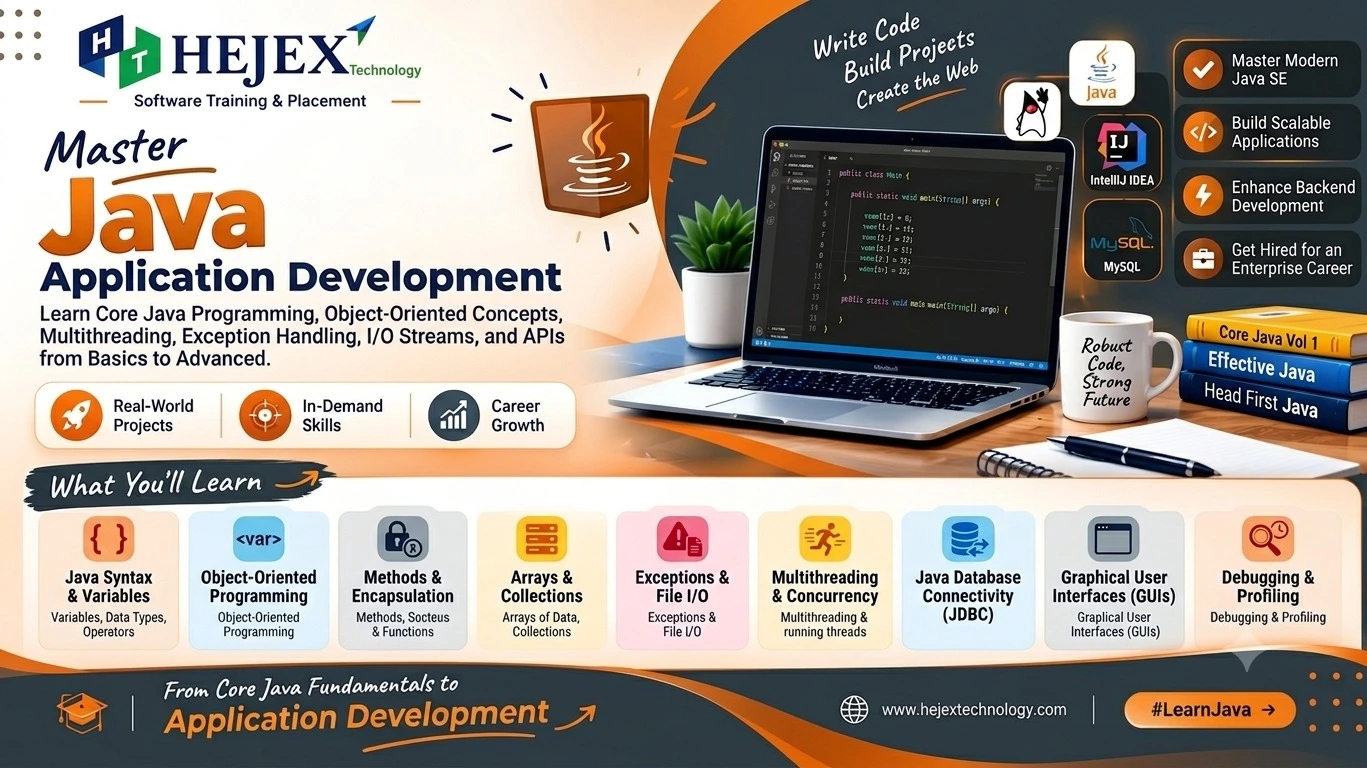
What is Java?
Java is a high-level, object-oriented programming language used to build applications that can run on different platforms.
Why Learn Java?
Platform Independent
Runs on different operating systems through the JVM.
Object-Oriented
Uses classes and objects to organize code.
Secure
Provides type checking and managed memory.
Large Ecosystem
Includes frameworks, libraries and development tools.
Where Is Java Used?
| Area | Examples |
|---|---|
| Web Development | Spring Boot, Jakarta EE |
| Enterprise Applications | Banking, ERP, business applications |
| Backend Development | REST APIs, microservices |
| Desktop Applications | JavaFX, Swing |
Java is widely used for backend development, REST APIs, microservices and database-driven applications. If you want to learn frontend and backend technologies together, explore our Full Stack Developer Course .
First Java Program
public class Main {
  public static void main(String[] args) {
      System.out.println("Hello, Java!");
  }
}What Are JDK, JRE, and JVM?
JDK, JRE, and JVM are the main components of the Java development and execution environment.
What Is JDK?
JDK stands for Java Development Kit. It provides the tools required to develop, compile and run Java applications.
Java Source Code
      |
      | javac
      v
Java Bytecode
      |
      | JVM
      v
Program Output
What Is JVM?
JVM stands for Java Virtual Machine. It loads and executes Java bytecode.
The JVM allows compiled Java bytecode to run on different operating systems that have a compatible JVM.
Difference Between JDK, JRE, and JVM
| Component | Full Form | Main Purpose |
|---|---|---|
| JDK | Java Development Kit | Provides tools for developing Java applications. |
| JRE | Java Runtime Environment | Provides the environment to run Java applications. |
| JVM | Java Virtual Machine | Loads and executes Java bytecode. |
Practical learning note:
A strong understanding of Object-Oriented Programming fundamentals makes Java easier to learn. Classes, objects, methods, inheritance, polymorphism, encapsulation and abstraction are especially useful before moving into advanced Java development.
Learners who want structured practical training can explore Java Training in Chennai after completing the fundamentals covered in this tutorial.
Java Installation and Eclipse Setup
Install the Java Development Kit (JDK)
Install a current JDK to compile and run Java applications.
Download JDK
Download a current LTS JDK for your operating system.
Install JDK
Run the installer and complete the setup.
Verify
Run java -version in Command Prompt
or PowerShell.
Install Eclipse IDE
Eclipse provides tools to write, run, and debug Java programs.
- Download and install Eclipse IDE.
- Choose Eclipse IDE for Java Developers.
- Select a workspace folder and launch Eclipse.
Create Your First Java Project
Create a Java project in Eclipse and run a simple program.
Create a new Java Project, add a class named Main, and use the following code:
public class Main {
    public static void main(String[] args) {
        System.out.println("Hello, Java!");
    }
}
Click Run to execute the program.
Hello, Java!Datatypes, Variables & Operators
Java is a statically typed language, so the type of a variable is checked at compile time.
Variables in Java
A variable is a named location used to store a value. Every variable has a data type, name, and value.
int employeeId = 101;
String employeeName = "Arun";
double salary = 45000.50;
boolean active = true;
Declaration and Initialization
Declaration specifies the variable type and name, while initialization assigns its value.
int age;
age = 22;

double salary = 35000.50;int age; is a declaration,
age = 22; is an assignment, and
int age = 22; combines declaration and
initialization.
Variable Naming Rules
| Rule | Example |
|---|---|
Must begin with a letter, _, or
$
|
age, _count |
| Cannot begin with a number | 1age |
| Cannot contain spaces | employee name |
| Java keywords cannot be used | int class; |
| Names are case-sensitive |
age and Age are different
|
Operators in Java
Operators are symbols used for calculations, comparisons, assignments, and logical operations.
| Operator Type | Operators | Purpose |
|---|---|---|
| Arithmetic | + - * / % |
Mathematical calculations |
| Unary | ++ -- + - ! |
Operate on one value |
| Relational | == != > < >= <= |
Compare values |
| Logical | && || ! |
Combine conditions |
| Assignment | = += -= *= /= %= |
Assign and update values |
| Ternary | ? : |
Choose between two expressions |
Key Points to Remember
-
Java provides primitive data types such as
int,double,char, andboolean. - Variables store values and have a specific data type.
-
finalprevents a variable from being reassigned. -
Relational operators return
trueorfalse. - Logical and ternary operators are commonly used in Java conditions.
Conditional Statements & Loops
Java control-flow statements control decisions and repeated execution of code.
1. if Statement
Executes code when a condition is true.
int age = 20;

if (age >= 18) {
    System.out.println("Eligible to vote");
}2. if-else Statement
Provides two execution paths based on a condition.
int number = 15;

if (number % 2 == 0) {
    System.out.println("Even");
} else {
    System.out.println("Odd");
}3. else-if Ladder
Checks multiple conditions and executes the first matching block.
int marks = 82;

if (marks >= 90) {
    System.out.println("A+");
} else if (marks >= 80) {
    System.out.println("A");
} else {
    System.out.println("B");
}4. Nested if
An if statement placed inside another if statement.
int age = 20;
boolean hasLicense = true;

if (age >= 18) {
    if (hasLicense) {
        System.out.println("You can drive");
    }
}5. switch Statement
Compares an expression with multiple fixed values.
int day = 2;

switch (day) {
    case 1:
        System.out.println("Monday");
        break;
    case 2:
        System.out.println("Tuesday");
        break;
    default:
        System.out.println("Invalid day");
}6. for Loop
Repeats code when the number of iterations is known.
for (int i = 1; i <= 5; i++) {
    System.out.println(i);
}2
3
4
5
7. while Loop
Repeats code while the condition remains true.
int i = 1;

while (i <= 5) {
    System.out.println(i);
    i++;
}2
3
4
5
8. do-while Loop
Executes the loop body at least once before checking the condition.
int i = 1;

do {
    System.out.println(i);
    i++;
} while (i <= 5);2
3
4
5
Key Points to Remember
-
if,if-elseandelse-ifhandle decisions. -
switchhandles multiple fixed cases. -
for,whileanddo-whilehandle repetition.
What is an Arrays in Java?
An array is an object used to store multiple values of the same data type under one variable name. Java arrays have a fixed length, so their size cannot be changed after creation.
int[] marks = {80, 75, 90, 85, 88};Declaring and Creating an Array
An array can be declared first and created using the
new
keyword.
int[] numbers;
numbers = new int[5];
You can also declare and initialize an array in a single statement when the values are already known.
int[] numbers = {10, 20, 30, 40, 50};Two-Dimensional Arrays
A two-dimensional array stores data in rows and columns and is commonly used for tables and matrices.
int[][] marks = {
    {80, 75, 90},
    {70, 85, 88}
};

System.out.println(marks[0][1]);Strings in Java
A String represents a sequence of characters
and is used for names, messages, user input and other
textual data. In Java, String is a class, so a
String is an object.
String name = "Java";

System.out.println(name);| Method | Purpose |
|---|---|
length() |
Returns the number of characters. |
charAt() |
Returns a character at a specified index. |
equals() |
Compares String contents. |
toUpperCase() |
Converts text to uppercase. |
toLowerCase() |
Converts text to lowercase. |
contains() |
Checks whether text contains another sequence. |
substring() |
Extracts part of a String. |
indexOf() |
Finds the position of text. |
replace() |
Replaces matching content. |
trim() |
Removes leading and trailing whitespace. |
split() |
Splits a String into an array. |
Creating Strings
Strings can be created using a string literal or the
String
constructor.
String language = "Java";

String framework = new String("Spring Boot");false
StringBuilder
StringBuilder is a mutable character sequence.
It is useful when a String needs to be modified frequently.
StringBuilder builder = new StringBuilder();

builder.append("Java");
builder.append(" Programming");

System.out.println(builder);| Type | Mutable | Use |
|---|---|---|
String |
No | Normal text values |
StringBuilder |
Yes | Frequent String modifications |
StringBuffer |
Yes | Synchronized mutable text |
Methods in Java
A method is a named block of code designed to perform a specific task. Methods help reuse code and divide a program into smaller, manageable units.
calculateTotal() can be
created once and called whenever the calculation is
required.
Method Syntax
accessModifier static returnType methodName(parameters) {
    // method body
}| Part | Description |
|---|---|
accessModifier |
Controls where the method can be accessed. |
static |
Indicates that the method belongs to the class. |
returnType |
Specifies the type of value returned. |
methodName |
The name used to call the method. |
parameters |
Input values received by the method. |
Methods with Parameters
Parameters allow a method to receive input values, making the method reusable with different data.
static void greet(String name) {
    System.out.println("Welcome " + name);
}

public static void main(String[] args) {
    greet("Arun");
    greet("Priya");
}String name is the parameter.
"Arun" is the argument passed to the method.
void Method |
Returning Method |
|---|---|
| Does not return a value. | Returns a value. |
Uses void. |
Uses a specific return type. |
| Usually performs an action. | Usually produces a result. |
Object-Oriented Programming (OOP) in Java
Object-Oriented Programming (OOP) organizes programs using objects that contain data and behavior. Java uses classes and objects to build reusable and maintainable applications.
Four Pillars of OOP
The four main OOP concepts are Encapsulation, Inheritance, Polymorphism and Abstraction.
| Concept | Purpose |
|---|---|
| Encapsulation | Controls access to data and protects object state. |
| Inheritance | Allows a class to reuse accessible members of another class. |
| Polymorphism | Allows the same method or interface to have different behavior. |
| Abstraction | Hides implementation details and exposes essential behavior. |
Classes and Objects
A class is a blueprint that defines fields and methods. An object is an instance created from a class.
class Student {
    String name;

    void display() {
        System.out.println(name);
    }
}

Student student = new Student();
student.name = "Arun";
student.display();
Here, Student is the class and
student is the object. The dot operator is used
to access the object's fields and methods.
Constructors
A constructor is called when an object is created and is used to initialize its state. It has the same name as the class and has no return type.
class Student {
    String name;

    Student(String name) {
        this.name = name;
    }
}

Student s = new Student("Arun");
Java supports no-argument and parameterized constructors,
constructor overloading, and constructor chaining using
this(). The keyword this refers to
the current object.
Encapsulation
Encapsulation bundles data and related methods inside a class while controlling access to the object's internal state. Private fields are commonly accessed through public getters and setters.
class BankAccount {
    private double balance;

    public void deposit(double amount) {
        if (amount > 0) {
            balance += amount;
        }
    }

    public double getBalance() {
        return balance;
    }
}
Encapsulation improves data protection, validation and maintainability by preventing direct access to internal state.
Inheritance
Inheritance allows one class to acquire
accessible fields and methods from another class. Java uses
the extends keyword for class inheritance.
Types of Inheritance in Java
Java supports single, multilevel and hierarchical inheritance through classes. Multiple and hybrid inheritance can be achieved using interfaces.
1. Single Inheritance
One child class inherits from one parent class.
class Animal {
    void eat() {
        System.out.println("Eating");
    }
}

class Dog extends Animal {
}
2. Multilevel Inheritance
A class inherits from another child class, creating an inheritance chain.
class Animal {
    void eat() {
        System.out.println("Eating");
    }
}

class Dog extends Animal {
}

class Puppy extends Dog {
}
Puppy can access the inherited accessible
behavior from Dog and Animal.
3. Hierarchical Inheritance
Multiple child classes inherit from the same parent class.
class Animal {
    void eat() {
        System.out.println("Eating");
    }
}

class Dog extends Animal {
}

class Cat extends Animal {
}
Both Dog and Cat inherit
accessible members from Animal.
4. Multiple Inheritance Through Interfaces
Java does not support multiple inheritance through classes, but a class can implement multiple interfaces without inheritance ambiguity.
5. Hybrid Inheritance
Hybrid inheritance combines two or more types of inheritance. Java does not support it directly through classes, but similar structures can be created using interfaces.
Polymorphism
Polymorphism means "many forms". It allows the same method name or interface to represent different behavior.
Compile-Time Polymorphism
Method overloading occurs when methods have the same name but different parameter lists.
class Calculator {

    int add(int a, int b) {
        return a + b;
    }

    int add(int a, int b, int c) {
        return a + b + c;
    }
}
Runtime Polymorphism
Method overriding occurs when a child class provides its own implementation of a parent method.
class Animal {
    void sound() {
        System.out.println("Animal sound");
    }
}

class Dog extends Animal {
    @Override
    void sound() {
        System.out.println("Bark");
    }
}

Animal animal = new Dog();
animal.sound();
Overloading is resolved at compile time, while overriding is resolved at runtime based on the actual object.
Abstraction
Abstraction focuses on what an object does rather than how it does it. Java provides abstraction mainly through abstract classes and interfaces.
abstract class Animal {

    abstract void sound();

    void eat() {
        System.out.println("Eating");
    }
}

class Dog extends Animal {

    void sound() {
        System.out.println("Bark");
    }
}
An abstract class can contain abstract and concrete methods. An abstract method has no implementation and must be implemented by a suitable child class.
Interfaces
An interface defines a contract that
implementing classes must follow. A class uses the
implements keyword to implement an interface.
interface Payment {
    void pay();
}

class UPI implements Payment {

    public void pay() {
        System.out.println("Payment using UPI");
    }
}

Payment payment = new UPI();
payment.pay();
A class can implement multiple interfaces. Interfaces can also contain default methods, which provide an implementation that implementing classes can use or override.
| Concept | Purpose |
|---|---|
extends |
Used for class inheritance. |
implements |
Used when a class implements an interface. |
| Abstract class | Can contain abstract and concrete methods. |
| Interface | Defines a contract that classes implement. |
How OOP Concepts Work Together
A real application can use multiple OOP concepts together. For example, a banking application can use classes and objects to represent accounts, encapsulation to protect balances, inheritance for account types, polymorphism for different operations, and abstraction to hide implementation details.
Benefits of OOP in Java
- Modularity: Divides applications into organized classes.
- Reusability: Allows existing code to be reused through classes, methods and inheritance.
- Maintainability: Makes large applications easier to modify and manage.
- Data protection: Encapsulation controls access to internal data.
Exception Handling
An exception is an event that occurs during program execution and disrupts the normal flow of instructions. Common examples include invalid input, division by zero, invalid array indexes, and file or database failures.
Exception handling allows Java programs to handle these situations instead of terminating unexpectedly.
Checked vs Unchecked Exceptions
| Feature | Checked Exception | Unchecked Exception |
|---|---|---|
| Compiler checking | Must be handled or declared. | Not required to be handled or declared. |
| Common examples |
IOException, SQLException
|
NullPointerException,
ArithmeticException
|
| Common cause | External conditions. | Programming mistakes or invalid operations. |
Collections Framework
The Java Collections Framework provides
interfaces, classes, and utility methods for storing and
manipulating groups of objects. Common collections include
ArrayList, HashSet,
PriorityQueue, and HashMap.
Collections are generally more flexible than arrays because their size can change dynamically and they provide built-in methods for managing data.
Important Collection Types
| Type | Characteristics | Common Implementations |
|---|---|---|
| List | Ordered elements, duplicates allowed, index-based access. |
ArrayList, LinkedList
|
| Set | Does not allow duplicate elements. | HashSet, TreeSet |
| Map | Stores data using key-value associations. | HashMap, TreeMap |
File Handling in Java
File handling allows Java applications to
store and retrieve data from files. Java provides
traditional java.io classes and the modern
java.nio.file API for working with files.
File Paths
A file path specifies the location of a file or directory. Relative paths are generally easier to move between different environments.
String relativePath = "data.txt";

String absolutePath = "C:/Users/Student/Documents/data.txt";
Writing to a File
FileWriter can be used to write character data
to a text file.
import java.io.FileWriter;
import java.io.IOException;

try (FileWriter writer = new FileWriter("data.txt")) {

  writer.write("Welcome to Java File Handling");
  writer.write("\nLearning file operations");

} catch (IOException e) {

  System.out.println("Unable to write file");
}
To append content instead of replacing the existing content, use append mode.
Common Java Mistakes
- Incorrect data types: Choose appropriate types for stored values.
- Poor OOP design: Use classes, encapsulation, inheritance and polymorphism appropriately.
- Improper exception handling: Handle exceptions properly and avoid unnecessary catches.
- Large classes: Separate responsibilities into meaningful classes and methods.
- Wrong collections: Choose List, Set or Map based on requirements.
- Null handling: Handle possible null references carefully.
- Complex code: Keep Java programs simple, readable and maintainable.
Java Learning Roadmap
Learn Java in dependency order rather than treating every topic as an isolated concept.
- Java fundamentals: variables, data types, operators, methods, arrays, strings and basic programming concepts.
- Object-oriented programming: classes, objects, constructors, encapsulation, inheritance, polymorphism and abstraction.
- Java control flow: if-else statements, switch statements, for loops, while loops, do-while loops and control statements.
- Exception handling: try, catch, finally, throw, throws and creating custom exceptions.
- Collections framework: List, Set, Map, ArrayList, LinkedList, HashSet, HashMap and iterating through collections.
- File handling: creating, reading, writing and managing files using Java I/O classes and APIs.
- Multithreading: threads, thread lifecycle, creating threads, synchronization and basic concurrent programming.
- Database connectivity: JDBC, database connections, SQL queries, prepared statements and performing CRUD operations.
- Advanced Java development: build practical applications using Java frameworks, backend technologies, databases and real-world development practices.
What to Learn After Java?
After learning Java fundamentals, useful next skills include advanced object-oriented programming, JDBC, SQL, Java frameworks, REST APIs, authentication, testing, deployment and backend development. Java can be combined with different technologies depending on the application's requirements and the developer's career direction.
After learning Java, you can strengthen your programming and backend development skills by exploring the SprintBoot Training in Chennai .
Learners who want deeper Java-focused training can explore Java Training in Chennai .
Those progressing toward complete application development can explore the Full Stack Developer Course in Chennai .
Frequently Asked Questions About Java
What is Java?
Java is a high-level, object-oriented programming language used for backend, web and enterprise applications.
Is Java a programming language?
Yes. Java is a general-purpose programming language widely used for application and backend development.
What is JDK in Java?
JDK stands for Java Development Kit and provides tools to develop, compile and run Java applications.
What is JRE in Java?
JRE stands for Java Runtime Environment and provides the environment required to run Java applications.
What is JVM in Java?
JVM stands for Java Virtual Machine and executes Java bytecode on a compatible operating system.
Is Java easy to learn?
Yes. Beginners can learn Java step by step, starting with syntax and fundamentals before moving to OOP and collections.
What should I learn after Java basics?
Learn OOP, exceptions, collections, SQL, JDBC and databases, then move to Spring and Spring Boot.
What is Object-Oriented Programming in Java?
OOP organizes programs using classes and objects. Java supports encapsulation, inheritance, polymorphism and abstraction.