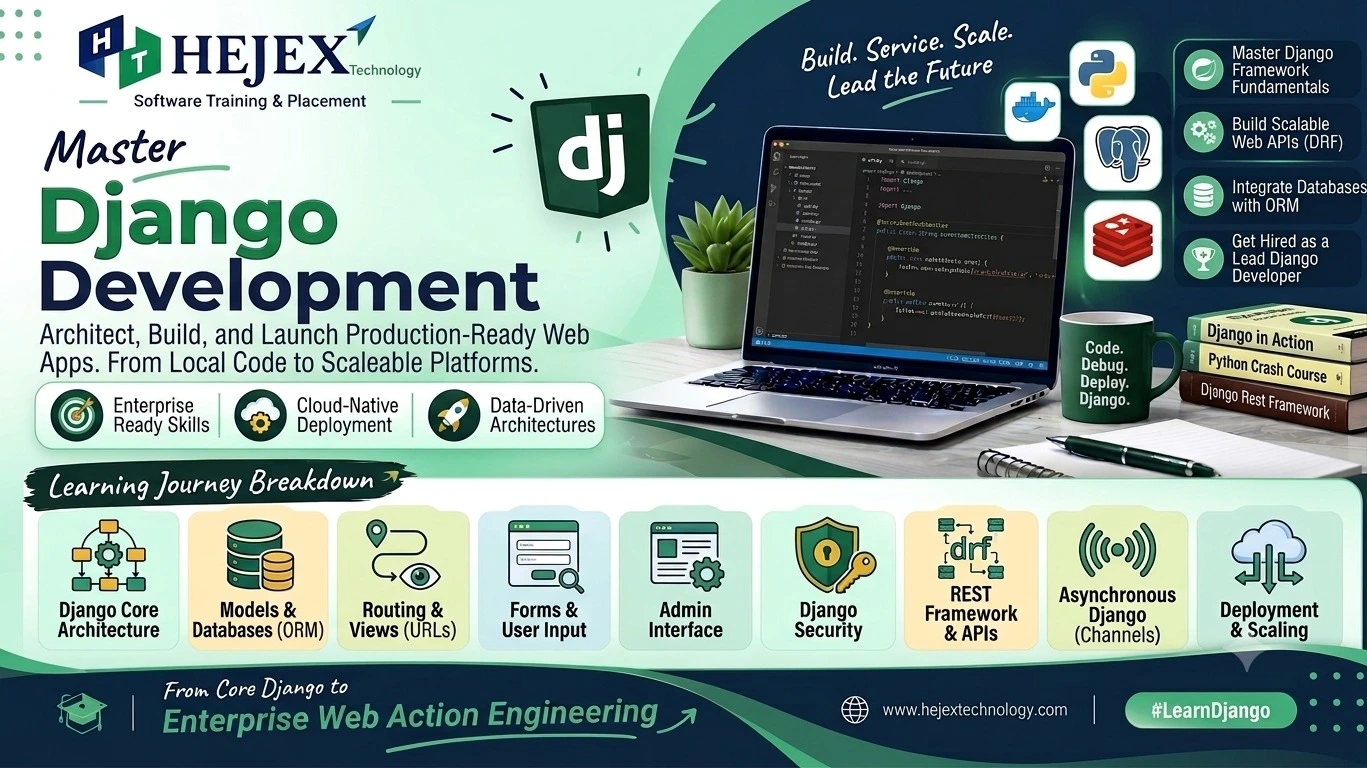
Introduction to Django
Django is a high-level Python web framework used to build secure, scalable and database-driven web applications. It follows the Model-Template-View architecture and provides built-in features for URL routing, templates, forms, authentication and database operations.
What is Django?
Django is an open-source Python web framework designed to simplify web application development. It provides reusable components and built-in features for handling common web development requirements such as URL routing, database access, forms, authentication and security.
Why Learn Django?
Web Development
Build dynamic and database-driven web applications using Python and Django.
Backend Development
Create server-side applications, process requests and connect applications with databases.
Database Integration
Use Django models and ORM to work with relational databases without writing every database operation manually.
Career Foundation
Django is a useful skill for Python developers and backend developers building web applications and APIs.
Features of Django
- Provides a structured framework for Python web development.
- Includes URL routing, templates, forms and database integration.
- Provides Django ORM for working with relational databases.
- Includes built-in authentication and security features.
Advantages of Django
Django provides a structured approach to web application development and includes many built-in features that reduce repetitive development work. It supports database integration, URL routing, templates, forms, authentication and security features, helping developers build maintainable web applications with Python.
Django Use Cases
| Area | Examples |
|---|---|
| Web Applications | Blogs, portals, dashboards and business applications |
| Backend Development | APIs, authentication and application services |
| Database Applications | CRUD operations, user data and business records |
| Content Management | Admin panels, content platforms and publishing systems |
Django vs Python
Python is a general-purpose programming language, while Django is a web framework built using Python. Python can be used for many types of applications, whereas Django provides tools and conventions specifically for building web applications.
Django is especially useful in backend and full stack development because web applications often need server-side logic, database operations, authentication and APIs. If you want to learn frontend, backend and database technologies together, explore our Full Stack Developer Course.
Django Installation
Before building a Django application, you need to install Python, create a virtual environment and install Django. Using a virtual environment keeps project dependencies isolated from other Python projects.
pip.
Step 1: Check Python Installation
First, verify that Python is installed on your system. Open a terminal or command prompt and run:
python --versionOn some systems, you may need to use:
python3 --versionStep 2: Create a Virtual Environment
Create a virtual environment for your Django project using
Python's
venv module.
python -m venv venvStep 3: Activate the Virtual Environment
Activate the virtual environment before installing Django. On Windows, use:
venv\Scripts\activateOn macOS or Linux, use:
source venv/bin/activateStep 4: Install Django
After activating the virtual environment, install Django
using
pip.
pip install djangoStep 5: Verify Django Installation
Check the installed Django version to verify that the installation was successful.
django-admin --versionStep 6: Create a Django Project
Once Django is installed, create a new Django project using
django-admin startproject.
django-admin startproject myprojectStep 7: Run the Development Server
Move into the project directory and start Django's development server.
cd myproject
python manage.py runserverDjango Installation Steps
| Step | Command / Action |
|---|---|
| Check Python | python --version |
| Create Virtual Environment | python -m venv venv |
| Activate Environment | venv\Scripts\activate |
| Install Django | pip install django |
| Verify Django | django-admin --version |
| Create Project |
django-admin startproject myproject
|
| Run Server | python manage.py runserver |
First Django Program
After installing Django, you can create your first Django project and display a simple message in the browser. A basic Django application uses a URL pattern to connect a browser request to a view function.
Step 1: Create a Django Project
Open a terminal and create a Django project using
django-admin startproject.
django-admin startproject myproject
cd myproject
Step 2: Create a Django App
Create an application inside the Django project using
python manage.py startapp.
python manage.py startapp myappStep 3: Create a View
Open myapp/views.py and create a simple view
that returns a response.
from django.http import HttpResponse

def home(request):
    return HttpResponse("Hello, Django!")
Step 4: Configure the URL
Open myproject/urls.py and connect the URL path
to the home view.
from django.contrib import admin
from django.urls import path
from myapp.views import home

urlpatterns = [
    path("admin/", admin.site.urls),
    path("", home),
]
Step 5: Run the Development Server
Start the Django development server using:
python manage.py runserverOpen the local development address shown in the terminal. The browser will display:
How the First Django Program Works
| Component | Purpose |
|---|---|
manage.py |
Provides commands for managing the Django project. |
views.py |
Contains the view function that handles the request. |
urls.py |
Maps URL paths to Django views. |
HttpResponse |
Returns a response to the browser. |
runserver |
Starts Django's development server. |
This simple program introduces the basic Django request flow: URL → View → HTTP Response → Browser.
Database Connection with Django
Django provides built-in database support through its
Object-Relational Mapper (ORM). You can
connect a Django application to databases such as SQLite,
MySQL and PostgreSQL by configuring the database settings in
settings.py.
settings.py, install the required database
driver, and use Django models and migrations to work with
database tables.
Step 1: Install MySQL Database Driver
For a MySQL database, install a Python MySQL database
driver. A commonly used option is mysqlclient.
pip install mysqlclientStep 2: Create a MySQL Database
Create a database in MySQL that will be used by the Django project.
CREATE DATABASE mydatabase;Step 3: Configure Database Settings
Open settings.py inside the Django project and
configure the DATABASES setting for MySQL.
DATABASES = {
    "default": {
        "ENGINE": "django.db.backends.mysql",
        "NAME": "mydatabase",
        "USER": "root",
        "PASSWORD": "your_password",
        "HOST": "localhost",
        "PORT": "3306",
    }
}mydatabase,
root and your_password with the
credentials configured for your MySQL database.
Step 4: Create a Django Model
Create a model in models.py. Django uses models
to represent database tables.
from django.db import models

class Student(models.Model):
    name = models.CharField(max_length=100)
    age = models.IntegerField()

    def __str__(self):
        return self.name
Step 5: Create Migrations
Create migration files from the Django model using:
python manage.py makemigrationsStep 6: Apply Migrations
Apply the migrations to create the required database tables.
python manage.py migrateStep 7: Run the Django Server
Start the Django development server to verify that the project can connect to the configured database.
python manage.py runserverDjango Database Connection Flow
| Step | Purpose |
|---|---|
| Install Driver | Allows Django to communicate with MySQL. |
| Create Database | Creates the MySQL database used by the application. |
Configure settings.py |
Defines the database engine and connection details. |
| Create Model | Defines the structure of application data. |
makemigrations |
Creates migration files from model changes. |
migrate |
Applies migrations to the database. |
The basic Django database workflow is: Model → Migration → Database Table → ORM Operations.
Practical learning note:
Django is commonly used for backend development, where applications need to handle requests, database operations and communication with frontend applications. Understanding REST APIs, HTTP methods and JSON is useful when building modern Django applications.
Learners who want to understand API concepts, HTTP methods, requests, responses and JSON can explore our API Tutorial.
Common Django Mistakes
- Skipping virtual environments: Use a separate virtual environment for each Django project to keep project dependencies isolated.
- Incorrect URL configuration: Make sure URL patterns correctly map requests to the intended views.
-
Ignoring migrations:
Run
makemigrationsandmigratewhen changing Django models to keep the database structure synchronized. - Hardcoding sensitive settings: Avoid storing passwords, secret keys and other sensitive configuration values directly in production source code.
- Ignoring form validation: Validate user input before processing or storing data in the application.
- Using inefficient database queries: Use Django ORM features appropriately and avoid unnecessary database queries when retrieving related data.
- Ignoring security: Use Django's built-in security features and configure authentication, CSRF protection and production settings appropriately.
A useful Django development rule is to keep applications organized, validate user input, manage database changes through migrations, protect sensitive configuration and optimize database operations when the application requires it.
Django Learning Roadmap
Learn Django in dependency order, starting with Python and web development fundamentals and gradually moving toward database-driven applications, APIs and production development.
- Python fundamentals: understand Python syntax, variables, data types, functions, classes, modules and exception handling.
- Django fundamentals: learn Django projects, apps, settings, URL routing, views and the request-response cycle.
- Templates: learn Django templates, template tags, variables, inheritance and dynamic HTML rendering.
- Models and databases: understand Django models, fields, migrations, relationships and database configuration.
- Django ORM: learn how to create, retrieve, update and delete database records using Django ORM.
- Forms and validation: learn Django forms, form validation and handling user-submitted data.
- Authentication: understand users, login, logout, sessions, permissions and authentication-related application features.
- CRUD applications: combine models, views, templates and forms to build database-driven applications.
- REST APIs: learn API development, JSON, HTTP methods and Django REST Framework for communicating with frontend applications and services.
- Projects and deployment: combine Django concepts to build practical applications and learn testing, security, static files and production deployment.
What to Learn After Django?
After learning Django fundamentals, the next step is to strengthen your backend development skills. Useful areas include REST APIs, database integration, authentication, testing, security, deployment and application architecture. Django can be combined with different frontend and database technologies depending on the application's requirements and the developer's career direction.
If you want to learn API concepts, HTTP methods, requests, responses and JSON for building backend applications, you can explore our API Tutorial .
If you want to strengthen your database skills and learn how Django applications work with relational databases, you can explore our MySQL Tutorials .
Learners who want to combine frontend, backend, databases and APIs to build complete web applications can continue toward full stack development through the Full Stack Developer Course in Chennai .
FAQ About Django
1. What is Django?
Django is a high-level Python web framework used to build secure, scalable and database-driven web applications.
2. Is Django a programming language?
No. Django is a web framework built with Python. Python is the programming language used to develop Django applications.
3. What is a Django project?
A Django project is the overall configuration and collection of applications used to build a Django web application.
4. What is a Django app?
A Django app is a reusable component that handles a specific feature or functionality within a Django project.
5. What is a Django view?
A view is a Python function or class that receives a web request, processes application logic and returns a response.
6. What is URL routing in Django?
URL routing maps requested URLs to the appropriate Django
views using URL patterns defined in urls.py.
7. What is the difference between a Django project and an app?
A project contains the overall configuration of a Django website, while an app provides a specific feature or functionality within that project.
8. What is Django ORM?
Django ORM is an Object-Relational Mapper that allows developers to interact with database data using Python objects and models instead of writing every SQL query manually.
9. What is a Django model?
A model is a Python class that defines the structure of application data and is commonly mapped to a database table.
10. What are Django migrations?
Migrations record changes made to Django models and apply those changes to the database structure.
11. What are Django templates?
Django templates are HTML-based files that allow dynamic data to be displayed using template variables, tags and filters.
12. What are Django forms?
Django forms provide a structured way to collect, validate and process user-submitted data.
13. What is Django middleware?
Middleware is a layer that processes HTTP requests and responses during Django's request-response cycle.
14. Is Django difficult to learn?
Django is approachable for beginners who understand Python fundamentals. Concepts such as models, ORM, authentication and application architecture require practice as applications become more advanced.
15. What should I learn after Django?
After learning Django, useful next steps include REST APIs, database development, authentication, testing, deployment and frontend integration. You can also explore our API Tutorial to understand API development in more detail.