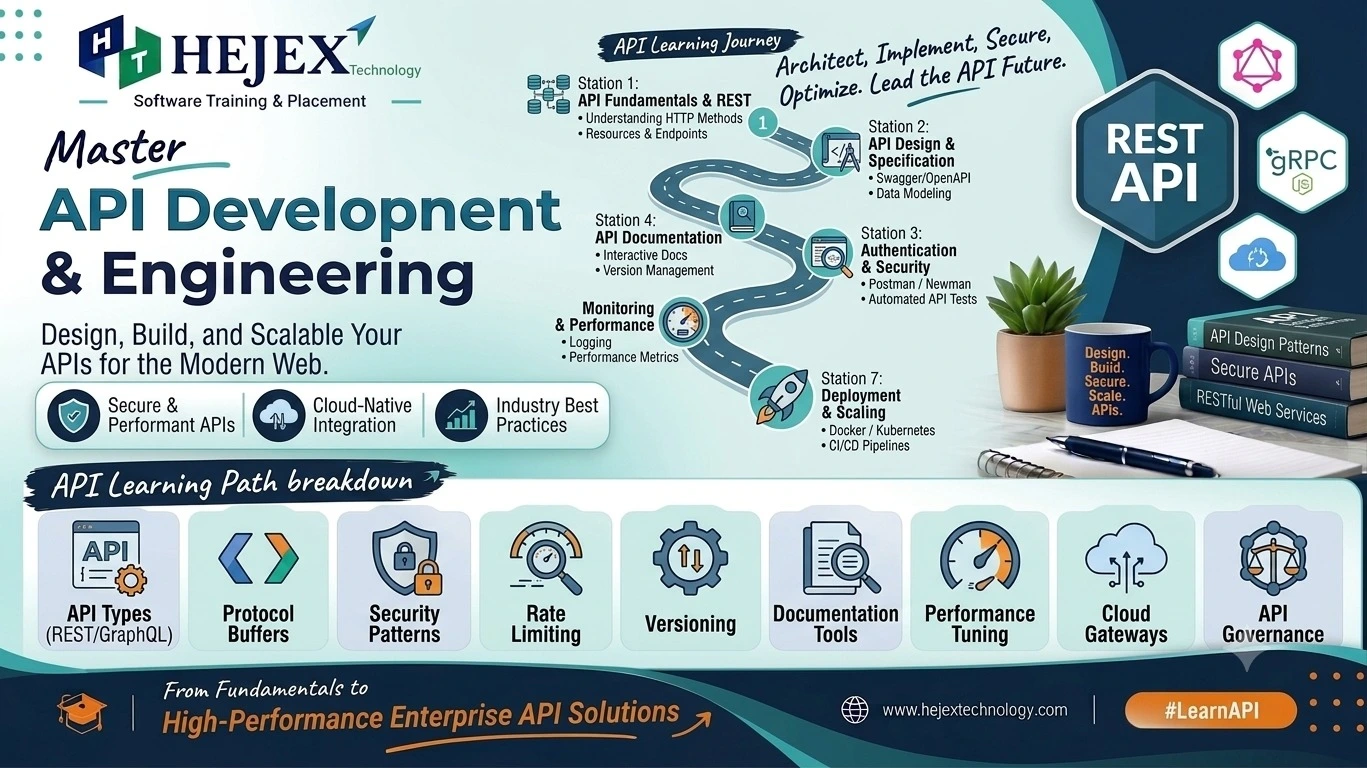
Introduction to APIs
API stands for Application Programming Interface. It allows different software applications to communicate with each other and exchange data or services through defined rules and endpoints.
What is an API?
An API is a set of rules and interfaces that allows one application to interact with another application or service. In web development, APIs commonly use HTTP to receive requests and return responses. REST APIs are a widely used approach for building web APIs.
Why Learn APIs?
Application Communication
Allow frontend applications, backend services and external systems to communicate and exchange data.
Backend Development
Build backend services that provide data and functionality to frontend applications and other clients.
Data Exchange
Exchange structured data between applications using formats such as JSON.
Career Foundation
API knowledge is useful for frontend, backend and full stack developers working with modern web applications.
Features of APIs
- Allow different applications and services to communicate.
- Use defined endpoints and request methods to access resources.
- Support request and response-based communication.
- Can use authentication to control access to protected resources.
Advantages of APIs
APIs make it possible to connect different applications without requiring one application to know the internal implementation of another. They support reusable services, data exchange, application integration and communication between frontend and backend systems.
API Use Cases
| Area | Examples |
|---|---|
| Web Applications | Users, products, orders and application data |
| Frontend Development | Fetching and sending data to backend APIs |
| Backend Development | Providing services and data through API endpoints |
| Application Integration | Connecting applications with external services |
API vs Website
A website is primarily designed to present content and interfaces for users through a web browser, while an API is designed to allow applications or services to communicate programmatically. An API typically returns structured data such as JSON rather than a complete webpage.
APIs are especially important in full stack development because frontend applications often communicate with backend services through APIs to retrieve, create, update and delete application data. If you want to learn frontend, backend, database and API technologies together, explore our Full Stack Developer Course.
API Request and Response
An API request is a message sent by a client to an API to ask for data or perform an operation. The API processes the request and sends an API response back to the client. This request-response process is the basic communication pattern used by web APIs.
What is an API Request?
An API request contains the information required by the server to process a client operation. A typical HTTP request can include the API endpoint, HTTP method, headers, query parameters and request body.
GET https://api.example.com/users
In this example, the client sends a GET request to the
/users endpoint to retrieve user data.
Parts of an API Request
| Part | Purpose |
|---|---|
| Endpoint | Specifies the API resource being accessed. |
| HTTP Method | Defines the operation such as GET, POST, PUT or DELETE. |
| Headers | Provide additional information such as authentication or content type. |
| Query Parameters | Send optional values used to filter or customize a request. |
| Request Body | Contains data sent to the server, commonly with POST or PUT requests. |
What is an API Response?
An API response is the message returned by the server after processing an API request. A response commonly contains an HTTP status code, headers and data. APIs frequently use JSON to return structured data to the client.
{
  "id": 101,
  "name": "Dhanush",
  "city": "Chennai"
}
Parts of an API Response
| Part | Purpose |
|---|---|
| Status Code | Indicates whether the request was successful or failed. |
| Headers | Provide information about the response and its content. |
| Response Body | Contains the requested data or information about the operation. |
API Request and Response Flow
- The client sends a request to an API endpoint.
- The API receives and processes the request.
- The server performs the required operation.
- The API creates a response containing a status code and data.
- The client receives and uses the response.
GET request to an API to retrieve a list of products.
The API processes the request and returns the product information,
usually as JSON.
Understanding API requests and responses is essential before learning HTTP methods, status codes, REST APIs and API integration.
HTTP Methods
HTTP methods define the type of operation a client wants to perform through an API. The most commonly used methods are GET, POST, PUT and DELETE.
| Method | Purpose | Example |
|---|---|---|
| GET | Retrieves data from the server. | Get a list of users |
| POST | Sends data to create a new resource. | Create a new user |
| PUT | Updates an existing resource. | Update user details |
| DELETE | Removes an existing resource. | Delete a user |
GET
GET is used to retrieve data from an API.
GET /usersPOST
POST is used to send data to an API and create a new resource.
POST /usersPUT
PUT is used to update an existing resource.
PUT /users/101DELETE
DELETE is used to remove an existing resource.
DELETE /users/101HTTP Status Codes
HTTP status codes are returned by a server to indicate the result of an API request. They help the client understand whether the request was successful, redirected or resulted in an error.
| Status Code | Meaning | Example |
|---|---|---|
| 200 OK | Request was successful. | Data retrieved successfully |
| 201 Created | A new resource was successfully created. | New user created |
| 400 Bad Request | The request contains invalid data. | Missing or incorrect input |
| 401 Unauthorized | Authentication is required or invalid. | Invalid login token |
| 403 Forbidden | The client is not allowed to access the resource. | Insufficient permissions |
| 404 Not Found | The requested resource could not be found. | User does not exist |
| 500 Internal Server Error | An unexpected error occurred on the server. | Server-side failure |
Status Code Categories
- 2xx: Successful requests.
- 3xx: Redirection responses.
- 4xx: Client-side errors.
- 5xx: Server-side errors.
What is REST API?
REST API stands for Representational State Transfer Application Programming Interface. It is a common approach for building web APIs that allow applications to communicate with each other using HTTP.
REST API Example
GET    /users
GET    /users/101
POST   /users
PUT    /users/101
DELETE /users/101
Here, /users represents a user resource. Different HTTP
methods can be used to retrieve, create, update or delete that resource.
Key Features of REST API
- Uses HTTP methods to perform operations.
- Uses URLs or endpoints to identify resources.
- Commonly exchanges data using JSON.
- Allows frontend applications, backend services and other clients to communicate.
REST API Example Response
{
  "id": 101,
  "name": "Dhanush",
  "city": "Chennai"
}
REST APIs are widely used in web applications to connect frontend applications with backend services and exchange application data.
REST API CRUD Operations
CRUD stands for Create, Read, Update and Delete. REST APIs commonly use HTTP methods to perform these operations on resources such as users, products or orders.
CRUD Operations in REST API
| CRUD Operation | HTTP Method | Example Endpoint | Purpose |
|---|---|---|---|
| Create | POST |
/users |
Create a new user. |
| Read | GET |
/users |
Retrieve users. |
| Update | PUT |
/users/101 |
Update an existing user. |
| Delete | DELETE |
/users/101 |
Delete an existing user. |
CRUD Example
POST   /users       → Create a user
GET    /users       → Get users
PUT    /users/101   → Update user 101
DELETE /users/101   → Delete user 101
CRUD operations are commonly used when building REST APIs for database-driven applications. A backend API can use these operations to manage resources and communicate with frontend applications.
API Testing with Postman
Postman is a tool used to send API requests and check API responses without building a frontend application. It is commonly used to test REST APIs during development.
How to Test an API with Postman
- Open Postman and create a new HTTP request.
-
Select a method such as
GET,POST,PUTorDELETE. - Enter the API endpoint URL.
- Add request data or headers when required.
- Click Send to make the API request.
- Check the response, status code and returned data.
Example API Request
GET https://api.example.com/usersAfter sending the request, Postman displays the API response along with the HTTP status code and response data.
What Can You Test?
- API endpoints and HTTP methods.
- Request and response data.
- HTTP status codes and error responses.
- API authentication and request headers.
API Integration
API integration means connecting one application or service with another through an API. It allows applications to request, send and exchange data between systems.
How API Integration Works
- The application identifies the required API endpoint.
- The client sends a request using an HTTP method.
- The API processes the request and performs the required operation.
- The API returns a response, commonly in JSON format.
- The application processes the response and displays or uses the data.
Simple API Integration Example
Frontend Application
        ↓
    API Request
        ↓
    REST API
        ↓
   API Response
        ↓
Frontend displays the data
For example, a frontend application can request product information from a REST API. The API retrieves the required data and returns it as JSON, which the frontend can then display to the user.
Common API Integration Uses
| Integration | Example |
|---|---|
| Frontend & Backend | React application communicating with a backend API |
| Backend & Database | API retrieving application data from a database |
| External Services | Connecting an application with third-party services |
| Mobile Applications | Mobile apps communicating with backend APIs |
Common API Mistakes
- Using incorrect HTTP methods: Use GET, POST, PUT and DELETE according to the operation being performed.
- Ignoring status codes: Check the HTTP status code to understand whether an API request succeeded or failed.
- Incorrect API endpoints: Make sure the request is sent to the correct endpoint and resource.
- Ignoring request data: Send the required headers, parameters or request body when the API expects them.
- Exposing sensitive information: Do not expose API keys, passwords, tokens or other sensitive credentials in client code or public repositories.
- Not validating API responses: Check the response before using the returned data in an application.
- Skipping API testing: Test endpoints with tools such as Postman before integrating them into an application.
A good API development practice is to use the correct HTTP methods, handle status codes properly, protect sensitive information, validate requests and responses, and test APIs before integration.
API Learning Roadmap
Learn APIs in a practical order, starting with basic API concepts and gradually moving toward REST APIs, authentication, testing and application integration.
- API Fundamentals: Understand APIs, client-server communication, requests and responses.
- HTTP Basics: Learn HTTP methods such as GET, POST, PUT and DELETE along with common status codes.
- JSON: Learn how JSON is structured and how APIs use JSON to exchange data.
- REST APIs: Understand REST API concepts, endpoints, resources and HTTP-based communication.
- CRUD Operations: Learn how APIs create, retrieve, update and delete application resources.
- API Authentication: Understand how APIs protect resources using authentication methods such as API keys and tokens.
- API Testing: Use Postman to send requests and check API responses, status codes and data.
- API Integration: Connect APIs with frontend applications, backend services and external systems.
- Practical Projects: Build small API-based applications to practice requests, CRUD operations, authentication and integration.
What to Learn After APIs?
After learning API fundamentals, the next step is to strengthen your web development skills. Useful areas include REST APIs, authentication, API testing, database integration, frontend integration, security and backend development. APIs can be combined with different frontend, backend and database technologies to build complete applications.
If you want to strengthen your backend development skills and learn how APIs work with Python-based web applications, you can explore our Django Tutorials .
If you want to strengthen your database skills and understand how applications store and manage data, you can explore our MySQL Tutorials .
Learners who want to combine frontend, backend, databases and APIs to build complete web applications can continue toward full stack development through the Full Stack Developer Course in Chennai .
FAQ About API
1. What is an API?
API stands for Application Programming Interface. It allows different software applications to communicate with each other and exchange data or services.
2. Why are APIs used?
APIs are used to connect applications and services, exchange data, and allow frontend, backend and external systems to communicate with each other.
3. What is an API request?
An API request is a message sent by a client to an API to request data or perform an operation. It can contain an endpoint, HTTP method, headers, parameters and request body.
4. What is an API response?
An API response is the message returned by the server after processing an API request. It commonly contains a status code, headers and response data.
5. What are HTTP methods in API?
HTTP methods define the operation a client wants to perform. Common
methods include GET for retrieving data,
POST for creating data, PUT for updating data,
and DELETE for removing data.
6. What are HTTP status codes?
HTTP status codes indicate the result of an API request. Common examples
include 200 for success, 201 for resource
creation, 400 for a bad request, 404 when a
resource is not found, and 500 for a server error.
7. What is JSON in API?
JSON stands for JavaScript Object Notation. It is a lightweight data format commonly used by APIs to exchange structured data between applications.
8. What is a REST API?
A REST API is a common approach for building web APIs that uses HTTP methods and resource-based endpoints to allow applications to communicate with each other.
9. What are CRUD operations in REST API?
CRUD stands for Create, Read, Update and Delete. REST APIs commonly use
POST, GET, PUT and
DELETE to perform these operations.
10. What is API authentication?
API authentication is used to verify the identity of a client before allowing access to protected API resources. APIs can use methods such as API keys and tokens for authentication.
11. What is Postman used for API testing?
Postman is a tool used to send API requests and inspect responses. It helps developers test endpoints, HTTP methods, status codes, authentication and response data before integrating APIs into an application.
12. What is API integration?
API integration means connecting one application or service with another through an API so that they can communicate and exchange data.
13. Is API difficult to learn?
API fundamentals are approachable for beginners. Understanding HTTP methods, requests, responses, JSON and REST APIs provides a good foundation before moving into authentication, testing and API integration.
14. What should I learn after APIs?
After learning APIs, you can strengthen your backend development, database integration, authentication, API testing and frontend integration skills to build complete web applications.