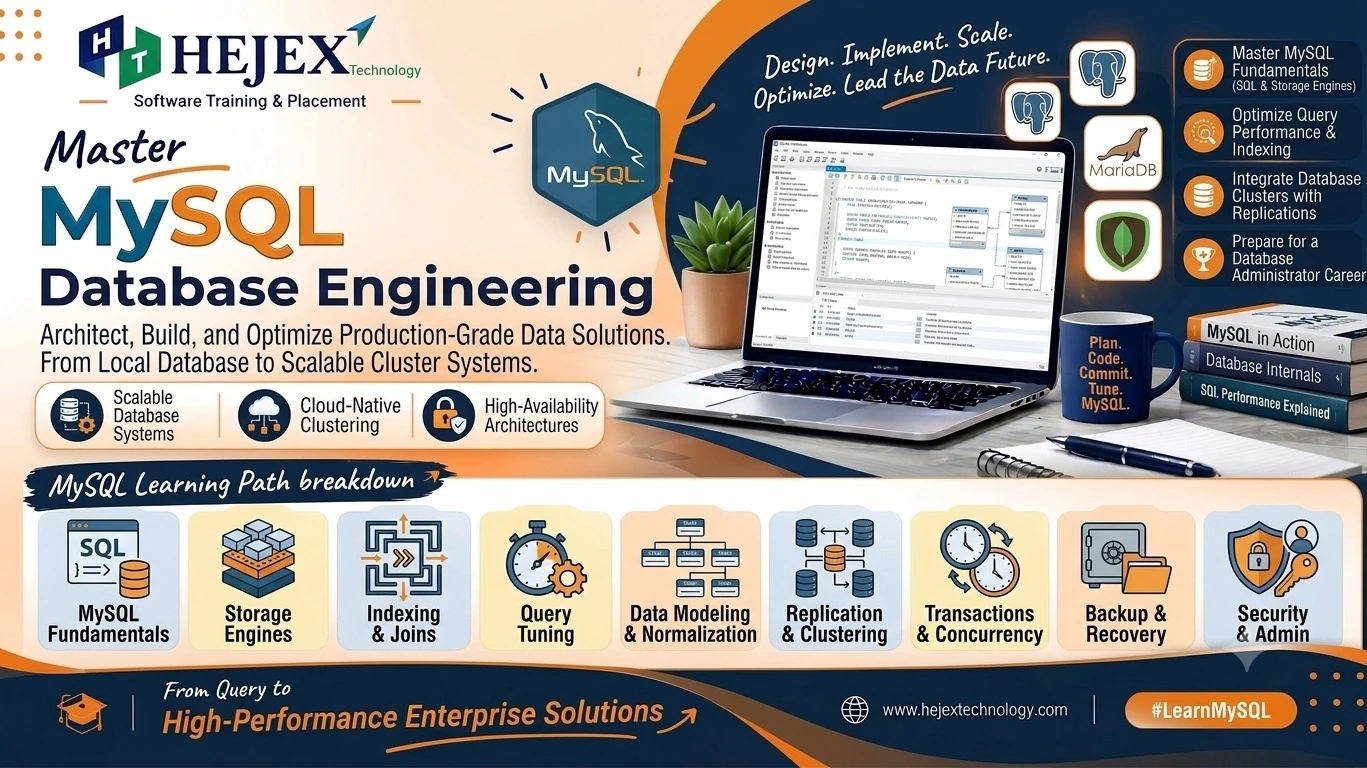
Introduction to SQL
SQL stands for Structured Query Language. It is used to create, read, update and manage data stored in relational database systems such as MySQL, PostgreSQL, SQL Server and Oracle Database.
What is SQL?
SQL is a standard language for working with structured data
in relational databases. Although database products may
provide different features and syntax extensions, the core
SQL concepts such as SELECT,
INSERT, UPDATE,
DELETE, joins and aggregate functions are
widely used.
Why Learn SQL?
Data Management
Use queries to store, retrieve and modify structured data.
Backend Development
Connect applications with databases and build data-driven features.
Data Analysis
Filter, group and summarize data using SQL queries.
Career Foundation
SQL is a core skill for developers, testers, analysts and data professionals.
Features of SQL
- Works with relational databases.
- Supports data definition, manipulation and querying.
- Provides filtering, sorting, grouping and joins.
- Supports constraints and transaction-based data management.
Advantages of SQL
SQL provides a readable way to work with structured data and can retrieve large sets of records using a single query. It also supports relationships between tables, aggregation, access control and database administration features.
SQL Use Cases
| Area | Examples |
|---|---|
| Web Applications | Users, products, orders and payments |
| Backend Development | APIs, authentication and application data |
| Data Analytics | Reports, dashboards and business metrics |
| Testing | Validating application data and database results |
SQL vs Database
A database is a system used to store and manage data, while SQL is a language used to interact with many relational databases. MySQL is a database management system; SQL is the language commonly used to query it.
SQL is especially important in full stack development because frontend applications often depend on backend services that read and write database records. If you want to learn frontend, backend and database technologies together, explore our Full Stack Developer Course.
Getting Started with SQL
For beginners, a simple local setup can use XAMPP, which provides Apache, MySQL and phpMyAdmin. The examples in this tutorial use MySQL-style SQL syntax.
SQL Installation and Setup
Install a database environment, start the required services and open a database management interface. XAMPP is a convenient option for practicing SQL locally.
Installing XAMPP
- Download and install XAMPP.
- Open the XAMPP Control Panel.
- Use the MySQL service for database practice.
Starting Apache and MySQL
Start Apache when you need the local web server and start MySQL for database practice. Apache is not required for every SQL operation, but it is useful when working with phpMyAdmin through the XAMPP environment.
Opening phpMyAdmin
After starting the required services, open phpMyAdmin from the XAMPP control panel or local phpMyAdmin URL. It provides a graphical interface for creating databases, tables and running SQL queries.
Creating a Database
CREATE DATABASE company_db;

USE company_db;
Creating a Table
CREATE TABLE employees (
  id INT PRIMARY KEY AUTO_INCREMENT,
  name VARCHAR(100) NOT NULL,
  salary DECIMAL(10,2),
  department VARCHAR(50),
  manager_id INT
);
SQL Basics
SQL is used to store, retrieve and manage data in relational databases.
Common clauses such as SELECT, FROM and
WHERE define the data to retrieve and the conditions to apply.
Clear formatting and meaningful aliases make SQL queries easier to read and maintain.
SQL Syntax
SQL statements use keywords, table names, column names and values. A semicolon is commonly used to end a statement.
SELECT name, salary
FROM employees
WHERE salary > 40000;
SQL Statements
Common SQL statements include SELECT for retrieving data,
INSERT for adding rows, UPDATE for modifying
rows and DELETE for removing rows. Statements such as
CREATE, ALTER and DROP manage
database objects.
SQL Comments
-- Single-line comment
SELECT * FROM employees;

/* Multi-line comment */
SELECT name FROM employees;
Database
A database is a container for related objects such as tables, views and procedures.
Tables
A table stores data in rows and columns. Columns represent attributes, while rows represent individual records.
Rows and Columns
An employee table might contain id, name and
salary columns. Each employee is stored as a row.
SQL Data Types
| Type | Purpose |
|---|---|
INT |
Whole numbers |
DECIMAL |
Exact numeric values |
VARCHAR |
Variable-length text |
DATE |
Calendar dates |
DATETIME |
Date and time values |
BOOLEAN |
Boolean-style values in MySQL |
SQL CRUD Operations
CRUD stands for Create, Read, Update and Delete. These four operations are commonly used to manage application data. Backend applications typically execute these SQL statements when working with database records.
CRUD operations work with data, while CREATE,
ALTER and DROP are commonly classified as
DDL commands used to manage database structures.
CREATE
Use CREATE to create database objects such as tables.
CREATE TABLE products (
    id INT PRIMARY KEY,
    name VARCHAR(100),
    price DECIMAL(10,2)
);
INSERT
Use INSERT to add records.
INSERT INTO products (id, name, price)
VALUES (1, 'Laptop', 55000.00);
SELECT
Use SELECT to retrieve data.
SELECT * FROM products;

SELECT name, price FROM products;
UPDATE
Use UPDATE with a WHERE condition to modify
selected rows.
UPDATE products
SET price = 52000.00
WHERE id = 1;
DELETE
Use DELETE to remove rows. Always check the
WHERE condition before deleting records.
DELETE FROM products
WHERE id = 1;
SQL Filtering and Sorting
SQL filtering and sorting help retrieve the required records in a specific order.
WHERE filters rows, ORDER BY sorts results,
DISTINCT removes duplicate values, and LIMIT
restricts the number of returned rows.
WHERE Clause
Filters rows according to a condition.
SELECT * FROM employees
WHERE salary > 50000;
AND
SELECT * FROM employees
WHERE salary > 40000 AND department = 'IT';
OR
SELECT * FROM employees
WHERE department = 'IT' OR department = 'HR';
NOT
SELECT * FROM employees
WHERE NOT department = 'HR';
ORDER BY
SELECT * FROM employees
ORDER BY salary DESC;
LIMIT
SELECT * FROM employees
ORDER BY salary DESC
LIMIT 5;
DISTINCT
SELECT DISTINCT department
FROM employees;
SQL Operators
SQL operators are used to compare values, perform calculations and combine conditions. Common operators include arithmetic, comparison and logical operators.
| Operator | Purpose | Examples |
|---|---|---|
| Arithmetic | Perform calculations | + - * / % |
| Comparison | Compare values | = <> > < >= <= |
| Logical | Combine conditions | AND OR NOT |
Arithmetic Operators
SELECT price, price * 1.10 AS increased_price
FROM products;
Comparison Operators
Comparison operators are commonly used with WHERE to filter rows.
Logical Operators
AND requires all conditions to be true,
OR requires at least one condition to be true,
and NOT reverses a condition.
BETWEEN
SELECT * FROM employees
WHERE salary BETWEEN 30000 AND 60000;
IN
SELECT * FROM employees
WHERE department IN ('IT', 'HR', 'Sales');
LIKE
SELECT * FROM employees
WHERE name LIKE 'A%';
IS NULL
SELECT * FROM employees
WHERE department IS NULL;
SQL Aggregate Functions
Aggregate functions calculate summary values from multiple rows.
Common functions include COUNT(), SUM(),
AVG(), MIN() and MAX().
GROUP BY groups rows for calculations, while
HAVING filters the grouped results.
| Function | Purpose |
|---|---|
COUNT() |
Counts rows or non-null values |
SUM() |
Calculates a total |
AVG() |
Calculates an average |
MIN() |
Finds the minimum value |
MAX() |
Finds the maximum value |
SELECT COUNT(*) AS total_employees,
       AVG(salary) AS average_salary,
       MAX(salary) AS highest_salary
FROM employees;
GROUP BY and HAVING
GROUP BY creates groups for aggregate calculations.
HAVING filters groups after aggregation.
SELECT department, COUNT(*) AS employee_count
FROM employees
GROUP BY department
HAVING COUNT(*) > 2;
SQL Common Constraints and Column Attributes
Constraints enforce rules on table data and help maintain data integrity.
Common MySQL constraints include PRIMARY KEY,
FOREIGN KEY, NOT NULL, UNIQUE,
DEFAULT and CHECK. AUTO_INCREMENT
can generate increasing numeric values for MySQL columns.
| Constraint | Purpose |
|---|---|
PRIMARY KEY |
Uniquely identifies a row |
FOREIGN KEY |
Links related tables |
NOT NULL |
Prevents null values |
UNIQUE |
Prevents duplicate values |
DEFAULT |
Provides a default value |
CHECK |
Validates a specified condition |
AUTO_INCREMENT |
Generates increasing numeric values in MySQL |
CREATE TABLE orders (
    id INT PRIMARY KEY AUTO_INCREMENT,
    customer_id INT NOT NULL,
    amount DECIMAL(10,2) CHECK (amount > 0),
    status VARCHAR(20) DEFAULT 'Pending'
);
SQL ALTER Operations
The ALTER TABLE statement changes the structure of an existing table.
ADD Column
ALTER TABLE employees
ADD email VARCHAR(150);
MODIFY Column
ALTER TABLE employees
MODIFY salary DECIMAL(12,2);
CHANGE Column
ALTER TABLE employees
CHANGE email work_email VARCHAR(150);
DROP Column
ALTER TABLE employees
DROP COLUMN work_email;
RENAME Table
RENAME TABLE employees TO staff;SQL Joins
SQL joins combine related rows from two or more tables using common columns.
For example, employees.department_id can reference
departments.id.
What are Joins?
Joins retrieve related data from multiple tables in a single result set.
INNER JOIN
Returns only rows with matching values in both tables.
SELECT e.name, d.department_name
FROM employees e
INNER JOIN departments d
ON e.department_id = d.id;
LEFT JOIN
Returns all rows from the left table and matching rows from the right table.
SELECT e.name, d.department_name
FROM employees e
LEFT JOIN departments d
ON e.department_id = d.id;
RIGHT JOIN
Returns all rows from the right table and matching rows from the left table.
SELECT e.name, d.department_name
FROM employees e
RIGHT JOIN departments d
ON e.department_id = d.id;
CROSS JOIN
Returns every possible combination of rows from both tables.
SELECT e.name, d.department_name
FROM employees e
CROSS JOIN departments d;
SELF JOIN
A self join joins a table to itself, such as when employees are related to managers. Assume the employees table contains a manager_id column that references the id of another employee.
SELECT e.name AS employee,
       m.name AS manager
FROM employees e
LEFT JOIN employees m
ON e.manager_id = m.id;
SQL Subqueries
A subquery is a query nested inside another SQL statement. It is useful when one query depends on the result of another query.
Subquery with SELECT
Returns a calculated value along with each row.
SELECT name,
       (SELECT MAX(salary) FROM employees) AS highest_salary
FROM employees;
Subquery with WHERE
Filters rows using the result of another query.
SELECT name, salary
FROM employees
WHERE salary > (SELECT AVG(salary) FROM employees);
Subquery with FROM
Uses a subquery as a temporary result set.
SELECT department, average_salary
FROM (
    SELECT department, AVG(salary) AS average_salary
    FROM employees
    GROUP BY department
) AS summary;
Correlated Subquery
A correlated subquery uses values from the outer query and may run for each outer row.
SELECT e.name, e.salary
FROM employees e
WHERE e.salary > (
    SELECT AVG(x.salary)
    FROM employees x
    WHERE x.department = e.department
);
SQL CASE Statement
The CASE expression adds conditional logic to SQL queries
and returns values based on specified conditions.
Simple CASE
Compares a column with specific values.
SELECT name,
       CASE department
           WHEN 'IT' THEN 'Technology'
           WHEN 'HR' THEN 'Human Resources'
           ELSE 'Other'
       END AS department_group
FROM employees;
Searched CASE
Evaluates conditions and returns the matching result.
SELECT name, salary,
       CASE
           WHEN salary >= 70000 THEN 'High'
           WHEN salary >= 40000 THEN 'Medium'
           ELSE 'Low'
       END AS salary_level
FROM employees;
SQL Common Table Expressions
A Common Table Expression (CTE) is a named temporary result set that helps organize complex SQL queries. MySQL 8.0 and later supports common table expressions using the WITH clause.
WITH department_totals AS (
    SELECT department, SUM(salary) AS total_salary
    FROM employees
    GROUP BY department
)
SELECT *
FROM department_totals
WHERE total_salary > 200000;
SQL String Functions
String functions are used to transform and work with text values.
| Function | Purpose |
|---|---|
CONCAT() |
Combines strings |
UPPER() |
Converts text to uppercase |
LOWER() |
Converts text to lowercase |
LENGTH() |
Returns string length |
SUBSTRING() |
Extracts part of a string |
REPLACE() |
Replaces matching text |
TRIM() |
Removes leading and trailing spaces |
SELECT CONCAT(name, ' - ', department) AS employee_info,
       UPPER(name) AS upper_name,
       LOWER(department) AS lower_department,
       TRIM(name) AS clean_name
FROM employees;
SQL Date Functions
Date functions are used to retrieve, compare, calculate and format date or time values.
Current Date and Time
SELECT CURRENT_DATE(), CURRENT_TIME(), CURRENT_TIMESTAMP();DATE()
SELECT DATE('2026-09-03 10:30:00');YEAR(), MONTH(), DAY()
SELECT YEAR('2026-09-03') AS year_value,
       MONTH('2026-09-03') AS month_value,
       DAY('2026-09-03') AS day_value;
DATEDIFF()
SELECT DATEDIFF('2026-09-10', '2026-09-03') AS days_difference;DATE_ADD()
SELECT DATE_ADD('2026-09-03', INTERVAL 7 DAY) AS next_date;DATE_FORMAT()
SELECT DATE_FORMAT('2026-09-03', '%d-%m-%Y') AS formatted_date;SQL Window Functions
What are Window Functions?
Window functions calculate values across related rows while keeping individual rows in the result. They are useful for rankings, running totals and comparisons.
ROW_NUMBER()
SELECT name, salary,
       ROW_NUMBER() OVER (ORDER BY salary DESC) AS row_num
FROM employees;
RANK()
SELECT name, salary,
       RANK() OVER (ORDER BY salary DESC) AS salary_rank
FROM employees;
DENSE_RANK()
SELECT name, salary,
       DENSE_RANK() OVER (ORDER BY salary DESC) AS dense_rank
FROM employees;
PARTITION BY
SELECT name, department, salary,
       RANK() OVER (
           PARTITION BY department
           ORDER BY salary DESC
       ) AS department_rank
FROM employees;
ORDER BY
The ORDER BY inside the window definition
controls the order used for the calculation and does not
necessarily determine the final result order.
SQL Stored Procedures
What is a Stored Procedure?
A stored procedure is a named group of SQL statements stored in the database and executed when called. Syntax varies between database systems.
Creating a Stored Procedure
DELIMITER //

CREATE PROCEDURE GetEmployees()
BEGIN
    SELECT * FROM employees;
END //

DELIMITER ;
Parameters
DELIMITER //

CREATE PROCEDURE GetByDepartment(IN dept VARCHAR(50))
BEGIN
    SELECT * FROM employees
    WHERE department = dept;
END //

DELIMITER ;
Calling a Procedure
CALL GetEmployees();
CALL GetByDepartment('IT');
Advantages
- Encapsulates reusable database logic.
- Can reduce repeated SQL in applications.
- Can centralize certain database operations.
Common MySQL Mistakes
- Forgetting to use a WHERE condition: Always use appropriate conditions with UPDATE and DELETE queries to avoid changing unintended records.
- Using incorrect data types: Choose suitable data types for columns to store data efficiently and maintain data consistency.
- Ignoring primary keys: Use primary keys to uniquely identify records and maintain reliable table relationships.
- Writing inefficient queries: Avoid unnecessary queries and use appropriate filtering, joins and indexes for better performance.
- Ignoring database relationships: Define appropriate primary key and foreign key relationships when tables are logically connected.
- Not handling NULL values: Understand how NULL values work and use appropriate conditions such as IS NULL and IS NOT NULL.
- Ignoring transactions: Use transactions when multiple related database operations need to succeed or fail together.
A useful database development rule is to design tables carefully, write precise SQL queries, protect data-changing operations with appropriate conditions, and use indexes and transactions when the application actually requires them.
MySQL Learning Roadmap
Learn MySQL in dependency order, starting with database fundamentals and gradually moving toward advanced SQL and database development concepts.
- Database fundamentals: understand databases, tables, rows, columns, data types and relational database concepts.
- MySQL setup: install MySQL, configure the server and connect using MySQL Workbench or the MySQL command line.
- SQL basics: learn CREATE, ALTER, DROP, INSERT, SELECT, UPDATE and DELETE statements.
- Querying data: practice filtering, sorting, grouping, aggregate functions and conditions.
- Relationships and joins: understand primary keys, foreign keys and INNER JOIN, LEFT JOIN, RIGHT JOIN and other join concepts.
- Advanced queries: learn subqueries, aliases, functions, views and more complex SQL operations.
- Database design: understand normalization, constraints and how to design structured and maintainable databases.
- Performance and transactions: learn indexes, transactions, COMMIT, ROLLBACK and techniques for improving query performance.
- Backend integration: connect MySQL with backend applications, perform CRUD operations and work with application databases.
- Projects: combine database design, SQL queries and backend integration to build complete real-world applications.
What to Learn After MySQL?
After learning MySQL fundamentals, the next step is to understand how databases are used in backend applications. Useful skills include advanced SQL, database design, API integration, authentication, database security, transactions and backend development. MySQL can work with different backend technologies depending on the application's requirements and the developer's career direction.
If you want to use MySQL with Python for building database-driven backend applications, you can explore the Python Backend Developer Course in Chennai .
If you prefer Java for backend development, you can learn how to connect MySQL with Java applications, build APIs and develop database-driven backend systems through the Java Backend Developer Course in Chennai .
Learners who want to combine frontend, backend and database development can continue toward full stack development through the Full Stack Developer Course in Chennai .
SQL Frequently Asked Questions
1. What is SQL?
SQL is Structured Query Language, used to query and manage data in relational database systems.
2. Is SQL a programming language?
SQL is a database query language designed primarily for defining, retrieving and manipulating data. It is different from general-purpose programming languages such as Java or Python.
3. What is a database?
A database is a system or organized collection used to store and manage data. Relational databases commonly organize data into tables.
4. What is a table in SQL?
A table stores related data using rows and columns. Each row represents a record and each column represents an attribute.
5. What is a primary key?
A primary key uniquely identifies each row in a table and cannot contain duplicate key values.
6. What is a foreign key?
A foreign key creates a relationship between a column in one table and a key in another table.
7. What is the difference between DELETE, DROP and TRUNCATE?
DELETE removes rows, DROP removes
a database object such as a table, and
TRUNCATE removes all rows from a table in
systems that support it with their respective semantics.
8. What is a JOIN?
A JOIN combines related rows from two or more tables using matching columns or conditions.
9. What is a subquery?
A subquery is a query nested inside another SQL statement.
10. What is GROUP BY?
GROUP BY groups rows with matching values so
aggregate functions can calculate results for each group.
11. What is HAVING?
HAVING filters grouped results after
aggregation, while WHERE normally filters rows
before grouping.
12. What is a CTE?
A Common Table Expression is a named query result defined
with the WITH clause and used within a SQL
statement.
13. What are window functions?
Window functions calculate values across related rows while preserving individual rows in the result.
14. Is SQL difficult to learn?
SQL is approachable for beginners because its basic query syntax is relatively readable. Advanced topics such as joins, query optimization and window functions require practice.
15. What should I learn after SQL?
For web development, a useful next step is backend programming, APIs and frontend development so you can use SQL inside complete applications.